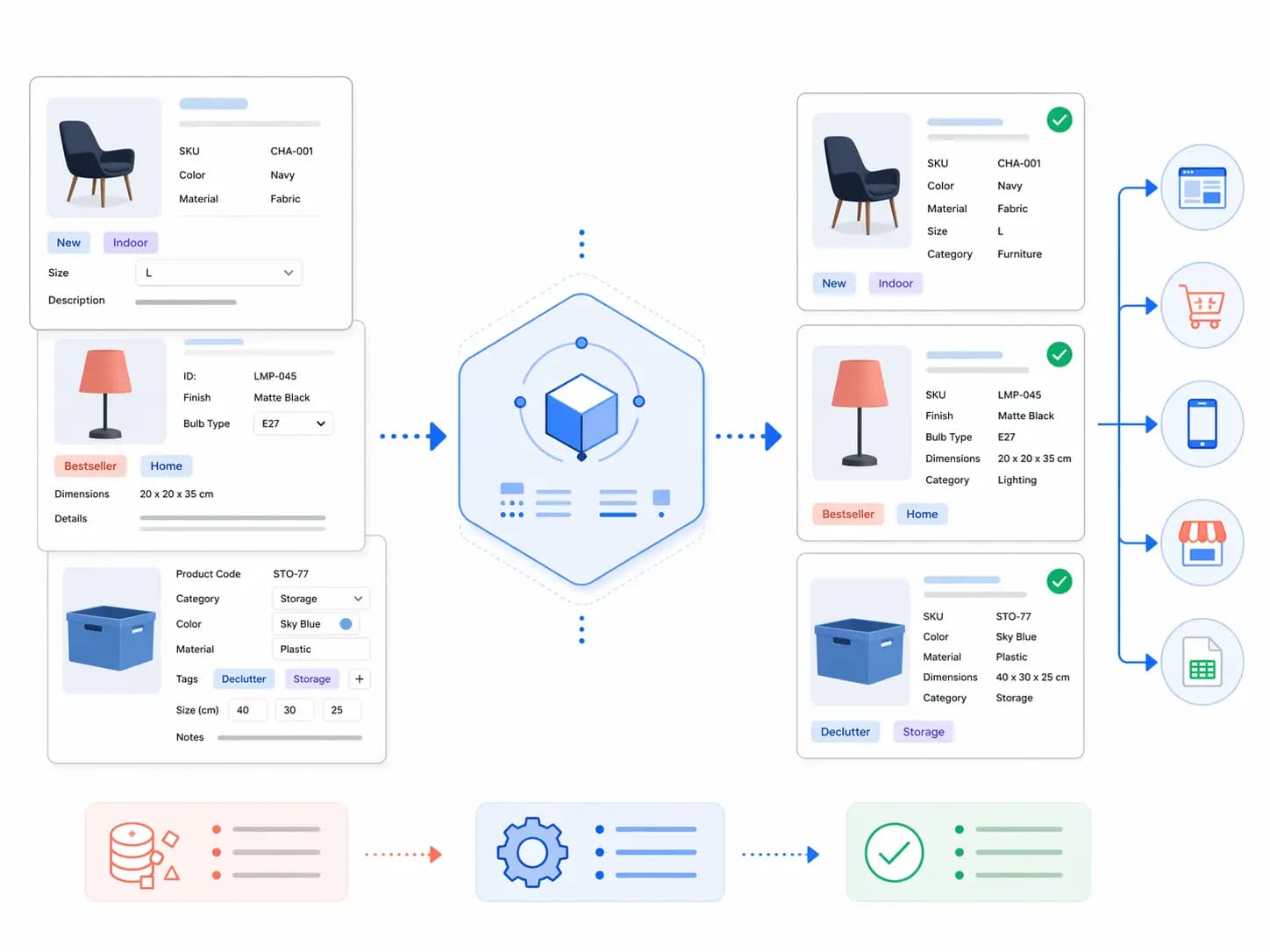
Most PIM implementations succeed or fail based on one thing: your product data model. If your taxonomy is messy, attributes are inconsistent, and variants are handled differently by every team, no tool will “fix it.”
TL;DR: This hub teaches the practical foundations of product data modeling—how to structure categories, attributes, variants, and rules so you can scale enrichment, approvals, and channel exports without chaos.
This hub teaches the practical foundations of product data modeling—how to structure categories, attributes, variants, and rules so you can scale enrichment, approvals, and channel exports without chaos.
What is “product data modeling” in a PIM?
Product data modeling is the structure behind your catalog:
- Taxonomy: how products are categorized and discovered
- Attributes: the fields you store (size, material, GTIN, compatibility, etc.)
- Attribute sets: which attributes apply to which categories
- Variants: how options like size/color are represented
- Rules: required fields, allowed values, validation, completeness
New to these terms? Keep this open: PIM Glossary .
Recommended reading order
- What is PIM? (2026 Guide) — the big picture.
- Single Source of Truth — where the “truth” should live.
- Product Data Governance — ownership + approvals.
- Product Data Quality Checklist — completeness + accuracy + consistency.
- Then: use the articles below to build your taxonomy + attributes + variants model.
The Product Data Modeling library (cluster articles)
Use these as your step-by-step path.
1) Taxonomy that scales (category design)
Product Taxonomy Guide: How to Build Categories That Scale
Avoid duplicate categories, messy navigation, and “unclear product types.” Learn rules for naming, depth, and structure.
2) Attribute strategy (global vs category-specific)
How to Design Attribute Sets (And Avoid Field Explosion)
Decide which attributes are shared across the catalog vs category-only, and how to keep them consistent.
3) Variants & options modeling
Variant Modeling in PIM: Parent vs Variant, Options, Images, GTINs
Build a variant model that works across Shopify and marketplaces—without duplicating products.
4) Supplier data normalization (intake → clean catalog)
Supplier Data Normalization: Mapping Messy Files Into a Clean Catalog
How to standardize units, values, names, and attribute mappings across many vendors.
5) Completeness rules per category/channel
Completeness Rules by Category: What “Ready to Publish” Means
Turn quality into measurable rules so teams know exactly what to fix.
A worked example: modeling one product family
Take a dining chair that comes in two finishes and two seat heights. Here is how each piece of the model fits together.
| Layer | Example | Rule |
|---|---|---|
| Taxonomy | Furniture > Seating > Dining chairs | One primary leaf per product |
| Attribute set | Dining chair attributes: width, depth, height, material, assembly required | Inherited from the category |
| Parent product | “Oslo dining chair” | Shared title, description, specifications |
| Variants | Oak/45 cm, Oak/48 cm, Walnut/45 cm, Walnut/48 cm | Each has its own SKU, GTIN, price and image |
| Controlled values | Finish: Oak, Walnut; Height: 45 cm, 48 cm | Defined once, reused everywhere |
| Validation rules | Width required, GTIN required per variant | Blocks publishing when missing |
Decide what lives at the parent and what lives on the variant
- Parent: title, description, brand, category, shared specifications, care instructions.
- Variant: SKU, GTIN, price, stock, option values, variant images, weight if it differs.
- Both, with inheritance: attributes where the variant can override the parent, such as dimensions.
Maturity stages of a product data model
| Stage | Typical signs | Next step |
|---|---|---|
| Ad hoc | Spreadsheets, free-text values, no owners | Define top categories and core attributes |
| Structured | Taxonomy and attribute sets exist; values are mostly consistent | Add controlled vocabularies and validation |
| Governed | Owners, approval workflows, change history | Measure quality and channel readiness |
| Optimized | Automated checks, supplier scorecards, tuned filters | Extend to new markets and channels |
A modeling checklist before you import
- Every product has exactly one primary category.
- Attribute sets are defined per category, not globally.
- Controlled values exist for repeated concepts such as colour, material and size.
- Units are defined once per attribute.
- Variants carry their own identifiers and images.
- Required fields are set per category and channel.
- A named owner approves changes to the model.
Where to go next in the modeling path
- For category design, use the product taxonomy guide , and the step-by-step build guide .
- For mapping to channels, read the category mapping guide .
- For filters and attributes, read product attributes that help customers buy .
- For supplier intake, read how to clean supplier product data .
- For measurement, read the product data quality scorecard .
Practical rules for attribute design
Attribute design is where most models become messy. These rules keep the set small and useful.
- One concept, one attribute. Do not keep “Color”, “Colour” and “Product colour” side by side.
- Typed values. Use numbers for measurements, dates for dates, and lists for controlled values, not free text.
- Units belong to the attribute. Define a base unit and store the value separately from the label.
- Inherit from the category. Define attribute sets once at category level and reuse them downward.
- Retire, do not delete. Mark unused attributes inactive so history and exports keep working.
Attribute types and when to use them
| Type | Use for | Example |
|---|---|---|
| Single select | One value from a controlled list | Material: Leather |
| Multi select | Several values from a controlled list | Skin type: Dry, Sensitive |
| Number with unit | Measurements | Width: 45 cm |
| Boolean | Yes or no facts | Assembly required: No |
| Text | Descriptions and instructions | Care instructions |
| Reference | Links to assets, documents or related products | Size guide document |
Connect the model to quality and governance
A good model also makes quality measurable. Required fields, allowed values and validation rules should come from the model, not from individual editors. Use the product data quality checklist to turn them into checks, and the governance guide to decide who can change the model.
Common modeling mistakes (avoid these)
- Category overload: too many near-duplicate categories (“Men Shoes” vs “Shoes Men”).
- Attribute duplication: “Color” and “Colour” and “Product Color” all existing at once.
- No controlled values: “Black / blk / BLK” breaks filters and exports.
- Variant confusion: putting variant-specific fields (GTIN, images) only on the parent.
- No ownership: anyone can change taxonomy/attributes anytime → permanent drift.
To prevent drift, pair your model with governance: Roles, Ownership, and Approval Workflows .
How LynkPIM supports product data modeling
- Structured taxonomy + attribute sets so categories drive required fields
- Validation rules (required fields, allowed values, formatting)
- Workflows so changes are reviewed and approved
- Integrations to keep your catalog in sync with your stack
FAQ
Do we need to perfect the model before using a PIM?
No. Start with your top categories, define a clean taxonomy + attribute sets, then evolve. The key is to version changes and control who can modify the model.
What should we model first?
Start with (1) taxonomy, (2) core attributes + controlled values, (3) variant model. Everything else becomes easier once these are stable.
nnFor the broader structure, see our ecommerce product taxonomy and category mapping guide .
nnnnNext steps: the PIM Readiness Score .
nn
PIM workflow connecting supplier product data with ecommerce and sales channels