Most teams don’t adopt a PIM because it sounds nice. They adopt it because spreadsheets stop working the moment product data becomes a shared operational system—edited by multiple people, used across multiple channels, and expected to be correct all the time.
TL;DR: This guide gives you a practical way to decide: Do you need a PIM now, later, or not at all? No hype—just clear signals, common scenarios, and what to do next.
This guide gives you a practical way to decide: Do you need a PIM now, later, or not at all? No hype—just clear signals, common scenarios, and what to do next.
The simplest rule: complexity beats SKU count
Teams assume PIM is only for huge catalogs. In practice, the real trigger is complexity:
- more channels
- more people editing
- more attributes per SKU
- more frequent supplier changes
- more compliance/marketplace requirements
If your catalog is small but your workflow is complex, you can still need a PIM.
PIM readiness: the 12 signals (score yourself)
Give yourself 1 point for each item that is true today.
- Multiple channels: You sell on Shopify plus marketplaces, retail feeds, or B2B catalogs.
- Multiple editors: 3+ people update product data each week (merchandising, content, ops, vendors).
- “Which file is latest?” You’ve had version confusion in the last 30 days.
- Slow launches: Product launches slip because data is missing, unapproved, or inconsistent.
- Repeated rework: Teams fix the same product fields again and again (titles, specs, images, SEO).
- Supplier updates hurt: Importing vendor files regularly overwrites good data or breaks formatting.
- Attribute explosion: You manage 30+ attributes for key categories (or it’s heading there).
- Category complexity: Each category needs different required attributes and rules (not one template).
- Marketplace disapprovals: You get feed errors, missing GTINs, invalid values, or image rejections.
- Returns/support due to wrong info: Product info issues cause tickets, cancellations, or returns.
- No clear ownership: It’s unclear who “owns” which fields, approvals, and publishing responsibility.
- No measurable completeness: You can’t quickly measure “ready to publish” by category/channel.
How to interpret your score
| Your score | What it usually means | What to do next |
|---|---|---|
| 0–2 | Spreadsheets still work | Standardize templates + owners + basic checks |
| 3–5 | You’re at the breaking point | Design taxonomy/attributes + plan phased PIM adoption |
| 6–8 | PIM will pay for itself fast | Shortlist tools + run a pilot category/channel |
| 9–12 | You’re already paying the “spreadsheet tax” | Start migration + governance + workflows immediately |
If you want the foundational definition + how PIM fits your stack, start with: What is PIM? The 2026 Guide .
Common real-world scenarios where PIM becomes essential
Scenario 1: “We’re adding marketplaces and feeds”
Every marketplace wants different required fields and formatting. Spreadsheets multiply into channel-specific tabs, exports, and repeated manual mapping. A PIM makes channel readiness repeatable instead of “rebuild the sheet each time.”
Scenario 2: “We have too many suppliers”
Supplier files come in different formats and quality. You need normalization, controlled values, and rules so the incoming data doesn’t break your catalog. PIM becomes the place where supplier inputs get cleaned and governed.
Scenario 3: “Our catalog is always ‘almost ready’”
Teams chase missing images, incomplete specs, and last-minute fixes. A PIM creates a measurable definition of “complete,” so work becomes a workflow instead of a scramble.
Scenario 4: “We need one source of truth”
When multiple systems store product data (ERP, Shopify, marketplace tools, DAM, sheets), contradictions become normal. The long-term fix is defining ownership and centralizing the truth. If this is your biggest pain, read: Single Source of Truth for Product Data.
If you’re not ready for PIM yet (do this first)
- Define one master template with locked headers and controlled values.
- Assign field ownership (titles/specs/images/SEO/compliance).
- Create a category checklist for “ready to publish.”
- Stop cloning tabs per channel—build a simple export mapping instead.
- Track errors (returns, disapprovals, support tickets) as your business case.
If you are ready for PIM now (a safe adoption plan)
Step 1: Pick one category + one channel for a pilot
Choose a category where missing attributes cause the most pain. Start with one channel (often Shopify first) to avoid boiling the ocean.
Step 2: Define taxonomy + attributes + “complete” rules
This is the foundation. Without it, your PIM becomes a nicer spreadsheet. With it, you get measurable data quality and repeatable workflows.
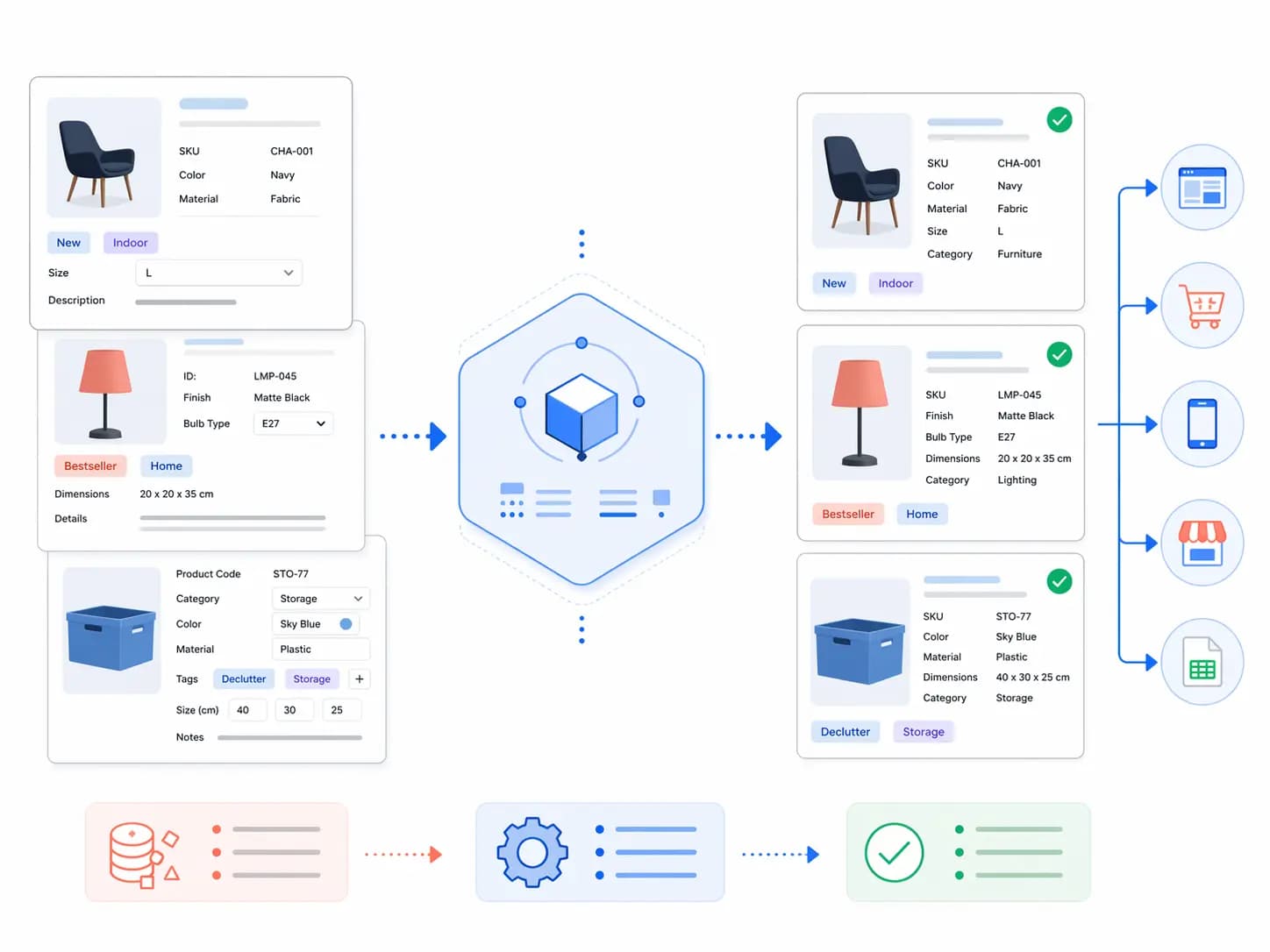
Step 3: Import → normalize → validate → enrich → publish
This is the core loop. Once it works for one category/channel, scale category by category and channel by channel.
New to the terms? Keep this open: PIM Glossary: Attributes, Taxonomy, Enrichment, Syndication .
Already on a PIM system and outgrown it?
Some teams arrive here from the other side: they already have a PIM, and it no longer fits. The signals are the same kind as the spreadsheet ones above, one level up:
- The price model no longer fits: per-user, per-module or per-channel fees grow faster than the catalog or the team that works on it.
- The channels you sell on now need connectors or export formats the current system does not have.
- The data model cannot express what you sell, so variants, bundles, languages or channel-specific values need workarounds.
- Approvals and validation happen outside the PIM, in spreadsheets or chat, because the workflow is missing or too rigid.
- Small changes to fields or exports need a partner or developer, so the team waits instead of publishing.
Before you switch, write down the fields, channels and workflows that fail today and test each candidate with a pilot on real SKUs. The PIM RFP template lists the questions to ask vendors, and the PIM alternatives and PIM comparison pages set Akeneo, Salsify, Pimcore, Plytix, Pimberly and inriver side by side, including where LynkPIM is not the better fit.
FAQ
Is there a minimum SKU count for PIM?
No fixed number. Many teams feel pain at a few hundred SKUs if they run multiple channels and have frequent changes. Others can manage thousands with spreadsheets if the workflow is simple and centralized. Complexity is the real trigger.
What’s the fastest ROI from PIM?
Usually: fewer listing errors + faster enrichment cycles + fewer feed rejections + reduced rework across teams.
What should I read next?
If your biggest issue is conflicting data across systems, read Single Source of Truth. If you want the broad foundation, read What is PIM? (2026) .
Next steps: the PIM Readiness Score ; LynkPIM pricing ; a LynkPIM demo .
n