This page defines the concept. To design one, follow the step-by-step build guide ; for the full picture, read the complete product taxonomy guide .
Product taxonomy series
- Product taxonomy: the complete guide : Start here: principles, structure, governance, and when to rebuild.
- What is product taxonomy? (you are here): Definition, examples and how it differs from categories and attributes.
- How to build a product taxonomy : The step-by-step build process, from audit to documented rules.
- Category mapping guide : Mapping your taxonomy to channels such as Google Shopping, Shopify and marketplaces.
- Taxonomy audit checklist : Review an existing taxonomy before it causes lost searches and feed errors.
- Free taxonomy templates : Starter templates by industry.
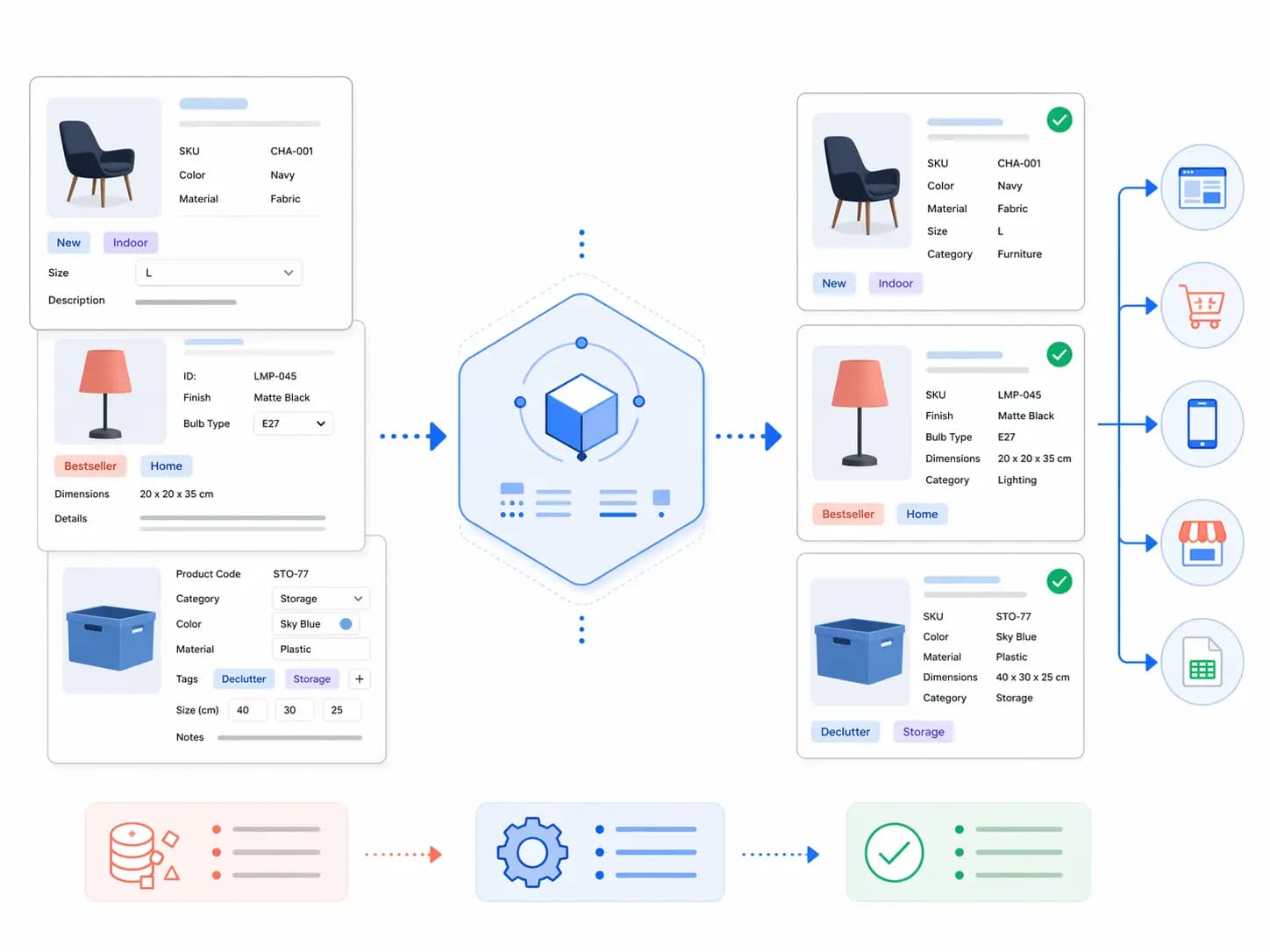
Product taxonomy is the classification system that organises your products into a structured hierarchy. It determines how products are grouped, named, and navigated — on your website, inside your catalog management system, and across every sales channel you use.
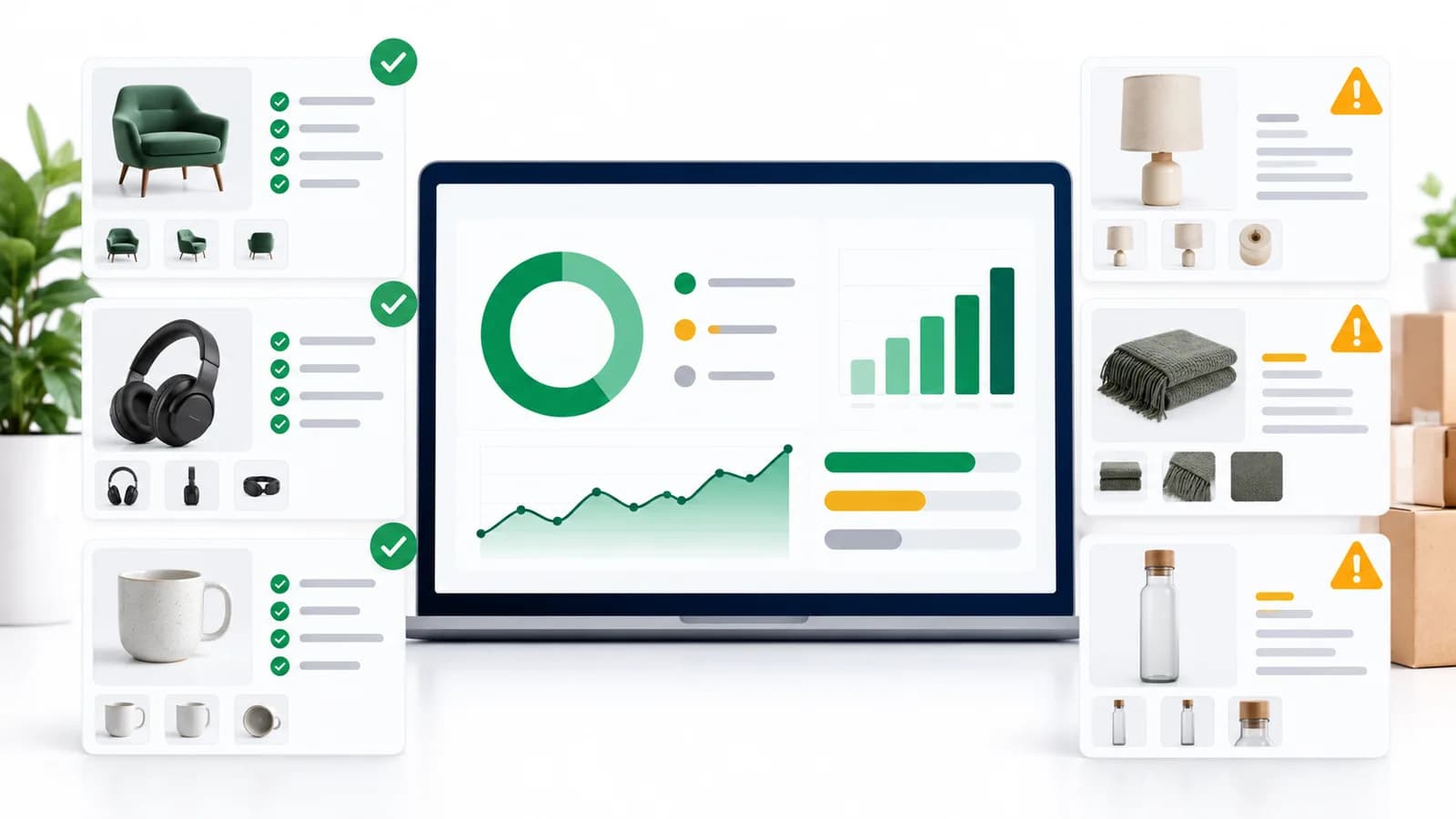
Get it right and customers find products faster, your Google Shopping feed performs better, and your team can manage thousands of SKUs without chaos. Get it wrong and you end up with inconsistent categories, broken filters, and channel mapping errors that cost you sales daily.
Product Taxonomy Definition
A product taxonomy is a hierarchical system for classifying products into groups based on shared characteristics. The word comes from the Greek taxis (arrangement) and nomos (law or method) — it is, literally, the rules by which products are arranged.
In practical ecommerce terms, a product taxonomy answers three questions for every product in your catalog:
- What type of product is this? (Product Type / Subcategory)
- What category does it belong to? (Category)
- What department does that category sit under? (Department)
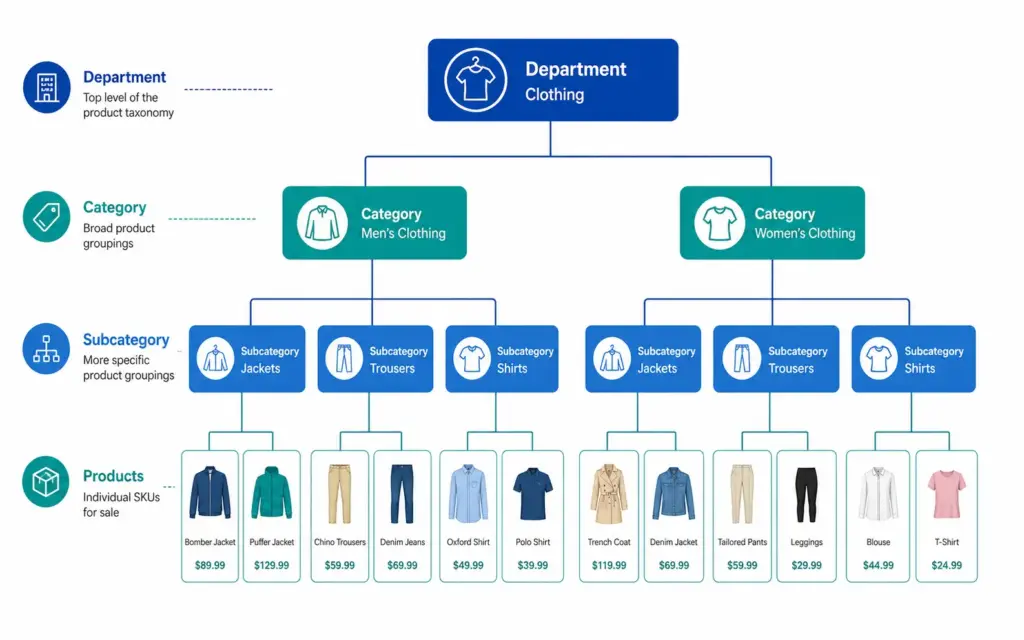
Those three questions map to the three levels every functional taxonomy needs: Department → Category → Subcategory.
A Simple Product Taxonomy Example
| Level | Name | Example |
|---|---|---|
| Level 1 — Department | Clothing | Clothing, Footwear, Accessories |
| Level 2 — Category | Men’s Clothing | Men’s, Women’s, Kids’ |
| Level 3 — Subcategory | Men’s Jackets | Jackets, Trousers, Shirts, Knitwear |
| Level 4 — Product Type | Men’s Rain Jackets | Rain Jackets, Leather Jackets, Puffer Jackets |
Every product in the catalog sits at the most specific level — Level 3 or Level 4 — not at the top. A product is never just “Clothing”. It is always “Men’s Rain Jackets” or “Women’s Running Shoes”.
Taxonomy vs Categories vs Attributes — What’s the Difference?
These three terms are often used interchangeably but they are distinct concepts.
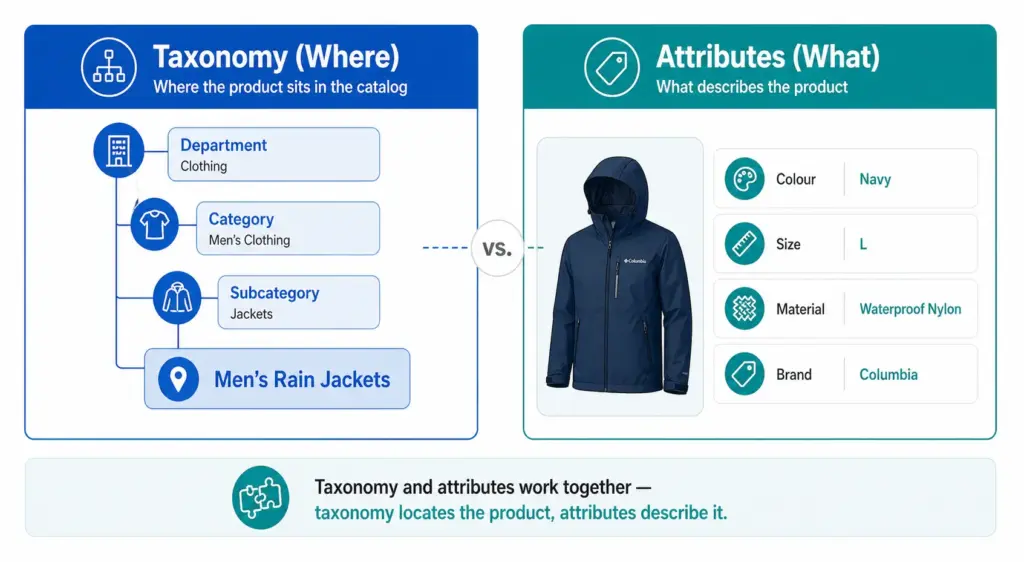
- Taxonomy — the overall classification system and its rules. The framework.
- Categories — the individual nodes within the taxonomy. Men’s Jackets is a category.
- Attributes — the properties of a product within its category. Colour, Size, Material, Brand are attributes of a product in Men’s Jackets.
Taxonomy tells you where the product lives. Attributes describe what the product is. Both are necessary. A product without a taxonomy position cannot be found by browsing. A product without attributes cannot be filtered or matched to specific search queries.
Why Product Taxonomy Matters for Ecommerce
1. Site navigation and search
Your taxonomy is the structure your site navigation and filters are built on. If your taxonomy is flat or inconsistent, your filters do not work. Customers searching for “blue running shoes women size 7” cannot filter to that result if Colour, Activity, Gender, and Size are not structured attributes on products in the correct subcategory.
2. Google Shopping performance
Google lists google_product_category as optional, but it matters: Google uses the category to apply category-specific attribute requirements (for apparel, for example), and if you leave it out Google assigns one automatically. When you set it, the value must come from Google’s own taxonomy and should be the most specific category that describes the product. A jacket submitted as “Apparel & Accessories” gives Google a vaguer description than “Apparel & Accessories > Clothing > Outerwear > Coats & Jackets”. Your taxonomy must map to Google’s. See the
Google product category guide
.
3. Channel feed mapping
Every major channel — Google Shopping, Amazon, Facebook Catalogue, retail marketplaces — has its own category taxonomy. Your internal taxonomy needs to translate cleanly to each one. A well-structured internal taxonomy makes this mapping straightforward. A chaotic one makes it a manual monthly project.
4. Internal catalog management
A consistent taxonomy means your team can find, update, and report on products by category without ambiguity. Without it, “running shoes” might live under “Athletic Footwear”, “Sports”, “Men’s Sports”, and “Women’s Running” in the same catalog — making bulk updates, seasonal campaigns, and channel exports all harder than they need to be.
Flat vs Hierarchical Taxonomy
Two structural approaches exist for product taxonomy. For most ecommerce stores with more than a few hundred products, the difference matters significantly. The full comparison is covered in the Flat vs Hierarchical Taxonomy guide , but the key distinction is:
- Flat taxonomy: One level of categories, no subcategories. Simple but breaks down above ~200 products. Filters become unwieldy and Google category mapping becomes imprecise.
- Hierarchical taxonomy: Multiple nested levels. Scales to any catalog size. Enables precise Google category mapping and deep attribute-based filtering.
Product Taxonomy in Practice — Real Examples
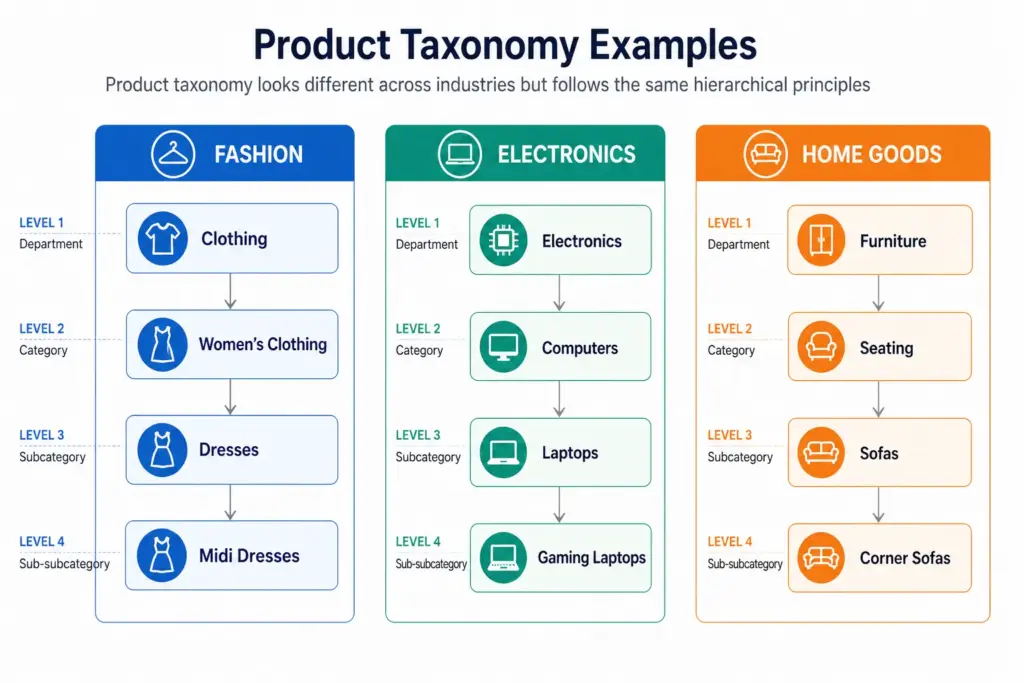
Across industries the hierarchy principle stays the same but the depth and attribute requirements differ significantly. A fashion taxonomy needs colour normalisation, size system declarations, and seasonal attribute management. An electronics taxonomy needs technical specification attributes and compatibility data. A home goods taxonomy needs dimension attributes and material normalisation. Each industry guide is linked below.
To map your own taxonomy to Google’s, use the Google Product Category Finder .
How to Build Your Product Taxonomy
The full step-by-step build process is covered in How to Build a Product Taxonomy From Scratch — from auditing your products through to Google category mapping and documentation. The short version:
- Define what your taxonomy needs to do — navigation, channel mapping, or both
- Audit your existing products before designing any categories
- Design 5–12 top-level departments
- Build at minimum three levels of hierarchy
- Define attribute sets per subcategory
- Map every subcategory to a Google product category leaf node
- Document the rules
Before building, take the PIM Readiness Score to identify where your current product data governance has gaps. The free Taxonomy Template at lynkpim.app gives you a pre-built starting point for 5 industries.
Next steps: Check required product fields with the Product Data Completeness Checker . Then turn mapped categories into a channel-ready output with the Google Shopping Feed Generator . or book a LynkPIM demo .
Frequently Asked Questions
What is product taxonomy in ecommerce?
Product taxonomy is the hierarchical classification system used to organise products into categories, subcategories, and product types. It defines the structure that powers site navigation, search filters, channel feeds, and internal catalog management.
What is the difference between product taxonomy and product attributes?
Taxonomy defines where a product sits in the hierarchy — Men’s Clothing > Jackets. Attributes define the properties of that product within its category — Colour: Navy, Size: L, Material: Nylon. Taxonomy organises the catalog structure; attributes describe individual products within it.
Why does product taxonomy matter for Google Shopping?
Google lists google_product_category as optional, but it matters for category-specific attribute requirements and gives you control over how Google classifies each product; if you omit it, Google assigns a category automatically. When you set it, use Google’s own taxonomy and the most specific category that describes the product. Broad or incorrect values give Google a poorer description of your products.
How many levels should a product taxonomy have?
A minimum of three levels: Department (Level 1), Category (Level 2), and Subcategory (Level 3). Larger catalogs benefit from a fourth level (Product Type). More than four levels rarely adds value and increases maintenance complexity without meaningful benefit to navigation or channel mapping.
What is the difference between a flat and hierarchical product taxonomy?
A flat taxonomy has one level of categories with no subcategories — simple but breaks down above ~200 products. A hierarchical taxonomy has multiple nested levels that scale to any catalog size, enable precise Google category mapping, and support deep attribute-based filtering. For the full comparison see Flat vs Hierarchical Taxonomy .