Google Product Category Taxonomy: The Complete 2026 Guide
TL;DR google_product_category tells Google what a product is, using Google’s fixed list of categories. Google lists it as optional for each product, but it matters in specific cases described be…
google_product_category tells Google what a product is, using Google’s fixed list of categories. Google lists it as optional for each product, but it matters in specific cases described below.
If you leave it out, Google assigns a category automatically. Set it yourself when you want control, or when the automatic result is wrong.
Submit one value per product: either the numeric ID or the full path, never both. Prefer the ID, because it is the same in every language.
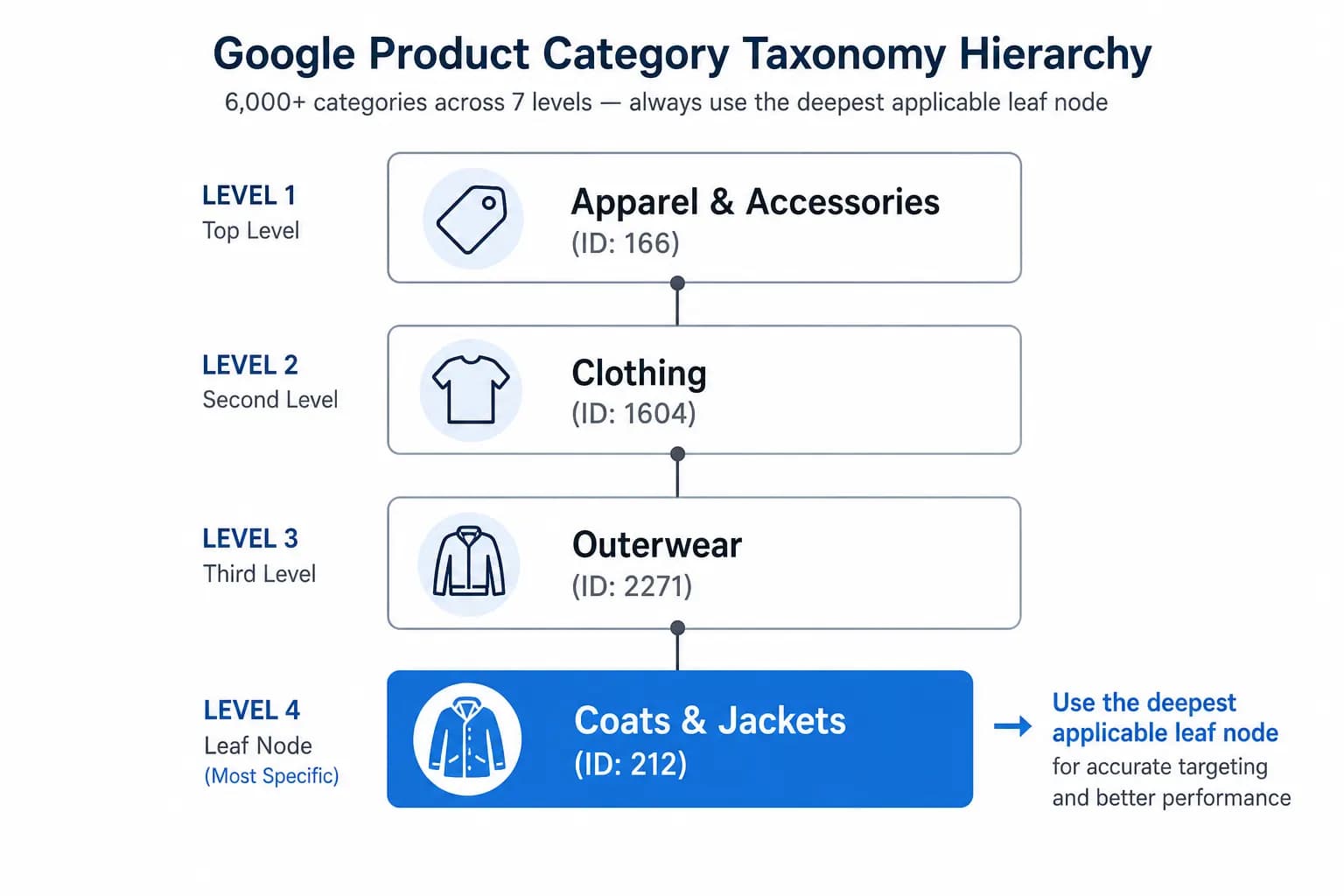
Choose the most specific category Google offers. That is not always deep: all shoes share one category.
The official taxonomy file contains 5,595 categories in 21 top-level groups and up to 7 levels (version 2021-09-21, checked 3 October 2026).
Every product you sell through Google Shopping can carry a google_product_category value, drawn from a fixed list that Google maintains. Used well, it gives Google an unambiguous answer to “what is this product?” Used badly, it creates feed errors, wrong attribute requirements and categories you never intended.
This guide covers what the taxonomy contains, when the attribute matters, how to choose between the ID and the text path, how to find the right category, a table of verified examples, and the mistakes that come up most often when mapping an internal catalog to Google. Everything here was checked against Google’s Merchant Center documentation and the official taxonomy files; the sources are listed at the end.
It is a hierarchy of predefined product categories. You do not edit it or add to it; you map your products to it. Google publishes it as plain-text and spreadsheet files, one per language, and each row pairs a numeric ID with the full category path.
The English (US) file, version 2021-09-21 at the time of writing, contains:
Level
Categories
1 (top level)
21
2
192
3
1,349
4
2,203
5
1,385
6
397
7
48
Total
5,595
Two practical points follow from these numbers. First, the taxonomy is broad but not very deep: 5,150 of the 5,595 categories (92 percent) sit within the first five levels, and only 445 sit at levels 6 and 7. Second, depth varies a lot by product type. Furniture and electronics go several levels down; all shoes sit in a single category, Apparel & Accessories > Shoes (ID 187), with no sub-categories at all.
The French, German and other localized files use exactly the same IDs with translated names. We compared the English, French and German files: the set of IDs is identical. That is the main reason to prefer IDs, as explained below.
When google_product_category matters
Google’s product data specification lists the attribute as optional for each product, and states that every product is automatically assigned a category from Google’s taxonomy. The attribute still matters in a few specific situations:
Category-specific requirements. Some attribute requirements apply only once Google knows the category. Google gives apparel, mobile phones sold with a contract and software as examples. A wrong category can switch the wrong requirements on or off.
Google Ads targeting. Google notes that the category is used for targeting Google Ads campaigns in specific countries.
Alcoholic beverages. If Google’s automatic category for a product is incorrect, the attribute is how you override it.
Outside those cases, setting it yourself is about control and consistency: you decide the category instead of leaving it to automatic assignment, and your feed stays predictable when titles or descriptions change. Google’s own guidance is to select the one category that best describes the product’s primary function and to use the most specific category possible.
The attribute accepts one value per product, and Google does not allow both formats at once. A product submitted with a category that is not in the taxonomy can be disapproved.
The ID or the text path?
Google accepts the category in two formats, and you may submit either one but not both:
Numeric ID, for example 460.
Full path text, for example Furniture > Sofas.
We recommend the ID, for three reasons that you can verify yourself:
It is identical in every language. The same category is Furniture > Sofas in English, Meubles > Canapés in French and Möbel > Sofas in German, but its ID is 460 in all three files. If you sell in several languages, one ID works everywhere.
It cannot be mistyped. Paths contain spaces, ampersands, apostrophes and the > separator; one wrong character makes the value invalid.
Google says so for languages without a localized taxonomy. Its documentation states that if the taxonomy is not available in your language you should use the English values or the numeric ID.
Google also states that you can submit any taxonomy version published after August 2011 and that it will translate it to the latest version. So an older ID does not suddenly stop working; the file’s version stamp is simply a useful reference for your own records. Google’s own specification page recommends the numeric ID. One thing you may notice: that page uses 371 as the example ID for Coats & Jackets, an ID that is not in the current file, where the category is 5598. For new work, use the IDs in the current file.
How to find the right category
The quickest route is the free
Google Product Category Finder
, which searches the taxonomy in English, German and French and returns the ID and full path. To do it by hand:
Download the official file for your language. English:
en-US
or
en-GB
. Others include
fr-FR
and
de-DE
. The first line shows the version.
Search for the most specific word that describes the product (“Laptops”, “Sofas”, “Coffee”) and read every matching row.
Pick the category that describes the product’s primary function. Prefer the most specific one that fits, but do not force a deeper level that describes a different kind of product.
Record the ID in your feed or mapping, and keep the path in your documentation so people can read it.
When the most specific category is shallow
Do not assume a deeper category always exists. Two examples from the official file show why you should check before you decide:
Shoes. All shoes map to Apparel & Accessories > Shoes (187). A men’s leather Oxford and a running shoe share the same Google category; their differences belong in attributes such as type, material and gender.
Jackets. The Activewear branch contains sport-specific categories (cycling, hunting, motorcycle and similar) but no general jacket category. A women’s running jacket maps to Outerwear > Coats & Jackets (5598).
Note how little “depth” some of these have: the sofa and the shoe are one or two levels deep, while the SSD sits five levels down. Always look the product up; do not guess a level from the product’s complexity.
Common google_product_category mistakes
Mistake
What goes wrong
Fix
Copying IDs from a blog post or old spreadsheet without checking
A wrong ID silently assigns a different category (a plumbing category instead of a drive, for instance)
Verify every ID against the official file for your language
Using a broad parent when a specific category exists
Google receives a vaguer description of the product than you could have given
Use the most specific category that describes the product’s primary function
Forcing a deeper category that describes something else
Wrong category-specific requirements and wrong classification
Choose by primary function; put details in attributes
Submitting both the ID and the path
Google accepts one or the other, not both
Pick one format, preferably the ID
Using localized text paths across a multi-language catalog
The path is different in each language file
Use the numeric ID everywhere
One category for the whole store
Products are described as something they are not
Map each internal category to its own Google category
Choosing product by product by hand
Inconsistency and errors at scale
Map internal category to Google ID once and apply it programmatically
google_product_category vs product_type
The two attributes are often confused, but they do different jobs.
google_product_category
product_type
Source of values
Google’s predefined taxonomy
Your own category structure
Required?
Optional for each product
Optional
Format
Numeric ID or full path, one value, never both
Text with levels separated by >, up to 750 characters
How many values
One
Up to five; only the first is used to organize bidding and reporting in Google Ads Shopping campaigns
Main use
Tells Google what the product is; drives category-specific requirements
Lets you segment bidding and reporting by your own structure
Use both when you can: google_product_category to say what the product is in Google’s terms, and product_type to carry your internal hierarchy into Google Ads. Keep your internal taxonomy as the source of truth and map it outward, as described in
Google product category vs internal taxonomy
and the
category mapping guide
.
Keeping your mapping current
Google calls the taxonomy “continuously evolving”, and the downloadable files carry a version stamp on the first line. At the time of writing (3 October 2026), the files for English, French and German all show version 2021-09-21.
Build your process around Google’s own announcements, not around articles that quote dates and deadlines without a source. In preparing this guide we looked for any taxonomy change in Google’s 2026 product data specification update and in the Merchant Center announcements change log, and found none listed. If you see a claim that Google changed or deprecated categories on a specific date, look for it in those two places before acting on it.
A sensible routine: record the taxonomy version next to your mapping, re-check the file’s version stamp each quarter, and review your Merchant Center diagnostics after any announced change.
Is google_product_category required in Google Shopping feeds?
Google lists it as optional for each product. It matters for category-specific attribute requirements (for example apparel, mobile phones sold with a contract, software), for Google Ads targeting in some countries and for correcting the category of alcoholic beverages. If you omit it, Google assigns a category automatically.
Should I use the numeric ID or the text path?
Either is accepted, never both in the same field. The ID is the safer choice: it is identical in every language, and it cannot be mistyped the way a long path can.
How many categories does the taxonomy have?
The official file (version 2021-09-21, checked 3 October 2026) has 5,595 categories in 21 top-level groups and up to 7 levels. About 92 percent of the categories sit within the first five levels.
How often does Google update the taxonomy?
Google describes it as continuously evolving and says it will translate any version published after August 2011 to the latest. Rather than assume a schedule, check the version stamp on the first line of the file.
What is the difference between google_product_category and product_type?
google_product_category uses Google’s predefined taxonomy. product_type is your own structure, up to 750 characters, up to five values, of which only the first is used for bidding and reporting in Google Ads Shopping campaigns.
Sources and how we checked
Google Merchant Center Help,
Google product category [google_product_category]
: optional status, ID or path but not both, automatic assignment, language guidance, older versions translated to the latest.
Google Merchant Center Help,
Product type [product_type]
: 750 characters, up to five values, first value used for Google Ads.
Official taxonomy files with IDs:
en-US
,
fr-FR
,
de-DE
. Counts, depth and all example IDs in this guide were computed from these files on 3 October 2026.
Binu Mathew is the founder of LynkPIM and CEO of ITMarkerz Technologies Ltd., the company in Kerala, India that builds it. He leads the product: the data model, the connectors to Shopify, WooCommerce, marketplaces and feeds, and the free catalog tools on lynkpim.app. He writes about structuring product data and meeting each channel’s requirements.