Free Product Taxonomy Template: Download for 5 Industries (2026)
Building a product taxonomy from scratch takes days. Validating that it maps correctly to Google’s taxonomy, includes the right attribute sets per subcategory, and uses normalised attribute values takes longer. This template gives you a pre-built, working starting point for five industries — so you spend your time adapting rather than building from zero.
The template is free. No email required for the preview version. The full editable template is available via LynkPIM’s free plan .
What’s in the Template
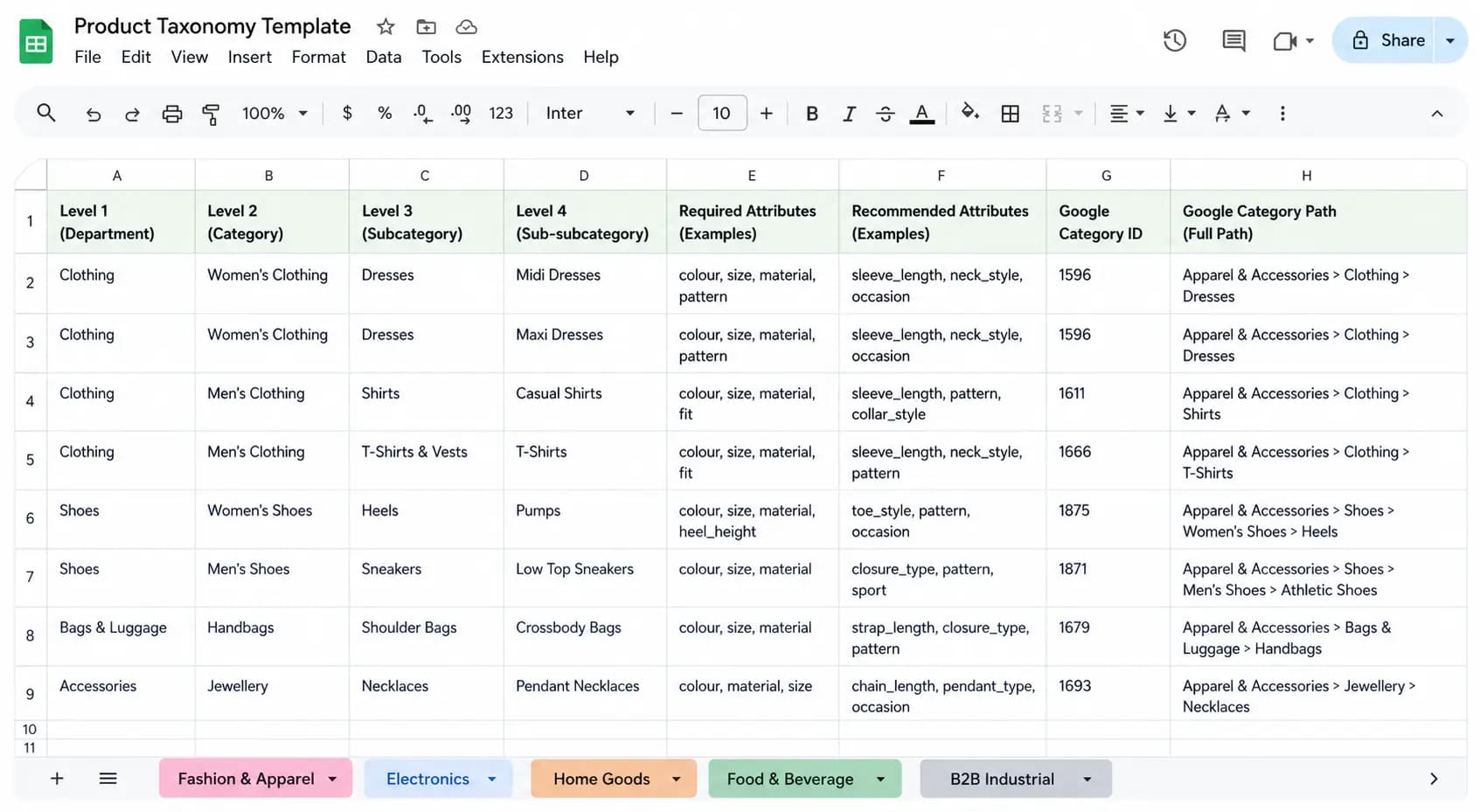
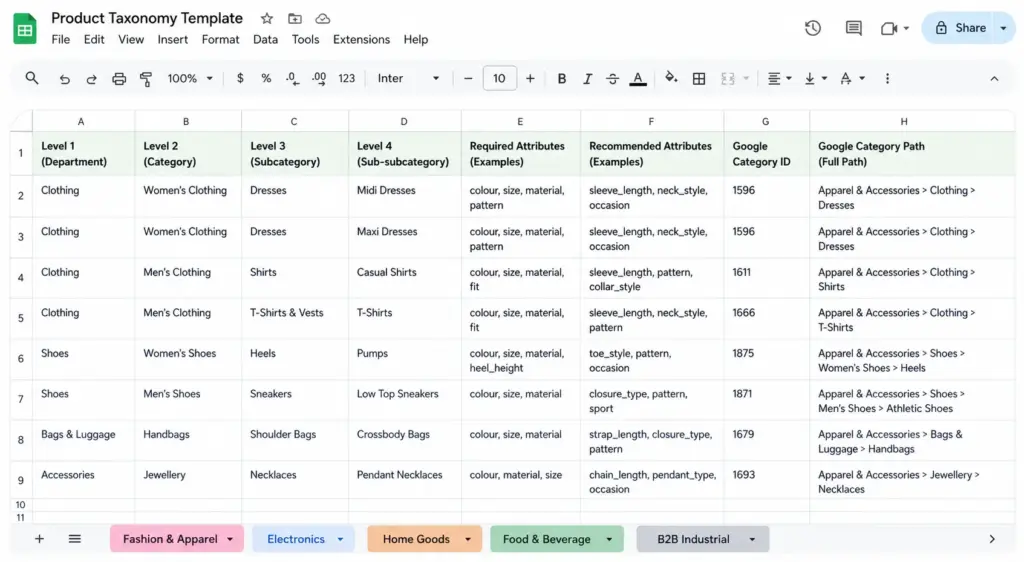
The template is a structured Google Sheets file with five tabs — one per industry. Each tab contains:
- Category hierarchy (Levels 1–4) — pre-built category structure from department level down to product type, based on real ecommerce catalog patterns for each industry
- Required attribute sets per subcategory — the specific attributes that must be filled for a product in that subcategory to be considered complete (e.g. Colour, Size, Material, Gender for fashion; Processor, RAM, Storage for electronics)
- Recommended attribute sets — additional attributes that improve search, filtering, and channel performance without being strictly required
- Normalised attribute value lists — controlled vocabulary for colour, size, material, and other attributes that require consistency across the catalog
- Google product category ID mapping — the correct leaf-node GPC ID for every subcategory, ready to use directly in your feed
Tab 1: Fashion and Apparel Template
The fashion tab covers: Women’s Clothing, Men’s Clothing, Kids’ Clothing, Footwear, Accessories, Swimwear, and Lingerie & Nightwear — down to Level 4 (Midi Dresses, Rain Jackets, Running Shoes etc.).
Attribute sets include the full apparel requirements for Google Shopping (gender, age_group, color, size, size_system, item_group_id) plus apparel-specific attributes like neckline, length, occasion, and sleeve length. The colour normalisation table maps 200+ common fashion colour names to their normalised values for filters and feeds.
Full details on fashion taxonomy requirements in the Fashion Taxonomy guide .
Tab 2: Electronics Template
The electronics tab covers: Computers & Laptops, Smartphones & Wearables, Audio, TV & Home Cinema, Cameras & Photography, Gaming, Components & Storage, and Cables & Accessories.
Attribute sets go deep on technical specifications — processor family, RAM, storage type, screen size, connectivity standards for laptops; driver size, noise cancellation type, codec support for headphones; IP rating, connectivity, battery capacity for smartphones. Compatibility attribute fields are included for all accessory subcategories.
Full details in the Electronics Taxonomy guide .
Tab 3: Home Goods and Furniture Template
The home goods tab covers: Furniture, Lighting, Bedding & Textiles, Kitchen & Dining, Storage & Organisation, Home Decor, and Outdoor.
Attribute sets include the dimension fields critical for furniture (Width, Height, Depth, Weight, Assembly Required, Flat Pack), material normalisation mapping 150+ home goods material names to controlled values, and the two-field approach to style attributes (marketing name vs normalised filter value).
Full details in the Home Goods Taxonomy guide .
Tab 4: Food and Beverage Template
The food & beverage tab covers: Fresh & Chilled, Ambient Grocery, Beverages, Frozen, Health & Nutrition, Snacks & Confectionery, Bakery, and Alcohol.
This tab includes the full 14-allergen attribute set (with Contains / May Contain / Free From value options), dietary attribute fields (Vegan, Vegetarian, Gluten-Free, Halal, Kosher, Organic), shelf life and storage type fields, and the nutritional attribute set required by UK FIC regulations.
Full details in the Food & Beverage Taxonomy guide .
Tab 5: B2B Industrial Template
The B2B industrial tab covers: Fasteners & Fixings, Pneumatics & Hydraulics, Electrical Components, Safety Equipment, Tools & Machinery, MRO Supplies, and Pipe & Tube.
Attribute sets include the technical specification fields critical for industrial products (thread standard, material grade, pressure rating, IP rating, temperature range), compliance certification attributes (CE marking, ATEX, RoHS, REACH), and the UNSPSC classification mapping for each subcategory.
Full details in the B2B Industrial Taxonomy guide .
How to Adapt the Template to Your Catalog
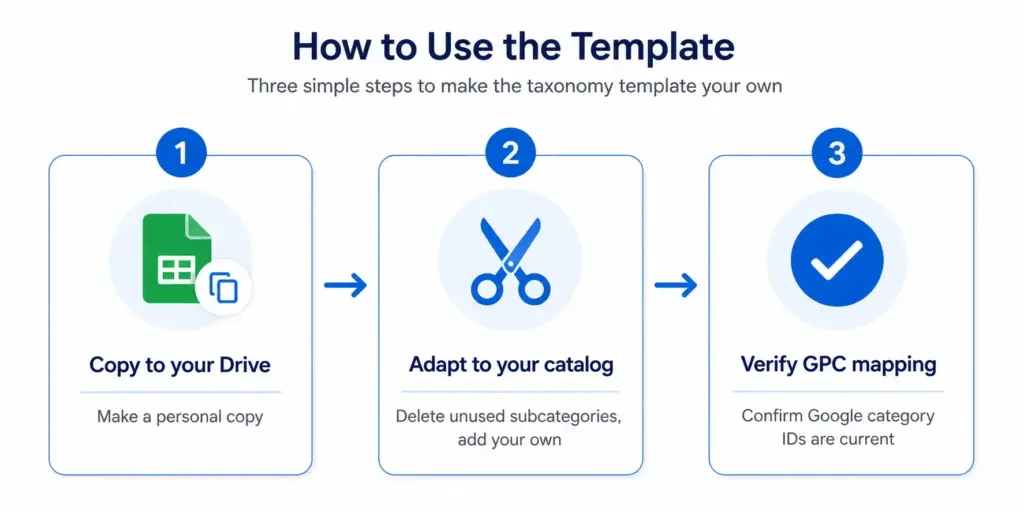
- Copy the template to your Google Drive (File → Make a Copy)
- Delete subcategories you do not carry — if you do not sell footwear, delete the footwear rows from the fashion tab
- Add subcategories specific to your range — if you sell a product type not covered, add a row and fill in the attribute set manually using the existing rows as a format guide
- Update attribute value lists — customise the normalised colour, size, and material lists to match your actual product data
- Verify Google product category IDs — cross-check any subcategories you have modified against Google’s current taxonomy file to confirm the GPC ID is still the most specific available match
Before building on top of this template, take the PIM Readiness Score to understand where your current product data governance has gaps — the template tells you what your taxonomy should look like, the readiness score tells you how far your current data is from that standard.
Download the full editable template: lynkpim.app/pricing — available on the free plan, no credit card required.
Frequently Asked Questions
What is included in the free product taxonomy template?
Five industry tabs (Fashion & Apparel, Electronics, Home Goods & Furniture, Food & Beverage, B2B Industrial), each with: full category hierarchy (Levels 1–4), required and recommended attribute sets per subcategory, normalised attribute value lists, and Google product category ID mapping for every subcategory.
What format is the template in?
Google Sheets with five tabs — one per industry. It can be downloaded as an Excel file or used directly in Google Sheets. Each tab is a working reference document designed to be adapted, not just read.
Can I use the template for a mixed catalog across multiple industries?
Yes. Take the relevant tabs from each industry and merge them into your own taxonomy document. The Google product category mapping in each tab is self-contained and works independently. If you sell both electronics and home goods, combine those two tabs into a single working taxonomy.
How do I customise the template for my specific catalog?
Copy to your Google Drive, then: delete subcategories you do not carry, add subcategories specific to your range using existing rows as a format guide, update attribute value lists to match your actual product data, and verify GPC IDs against Google’s current taxonomy file for any subcategories you modify or add.

By Binu Mathew
CEO @ itmarkerz technologiesBinu Mathew is the CEO of itmarkerz technologies and founder of LynkPIM — a modern product information management platform built for growing e-commerce brands. He has spent years working at the intersection of product data, digital commerce, and catalog operations, helping teams eliminate data silos, enforce quality standards, and publish accurate product content at scale. His work spans PIM strategy, marketplace syndication, and Digital Product Passport compliance.
Use These PIM Tools Next
- Use the PIM Readiness Assessment to Benchmark Your Team
- Check Catalog Health Score Before Expanding Channels
- Audit Required Product Fields with the Completeness Checker
- Validate GTIN, UPC, and EAN Codes Before Publishing
- Assess Team Capability Gaps Before Process Changes
- Evaluate Data Governance Maturity for Scaled Catalog Operations
Build Your Product Data Roadmap
Move from theory to execution with free tools and a practical PIM implementation path.