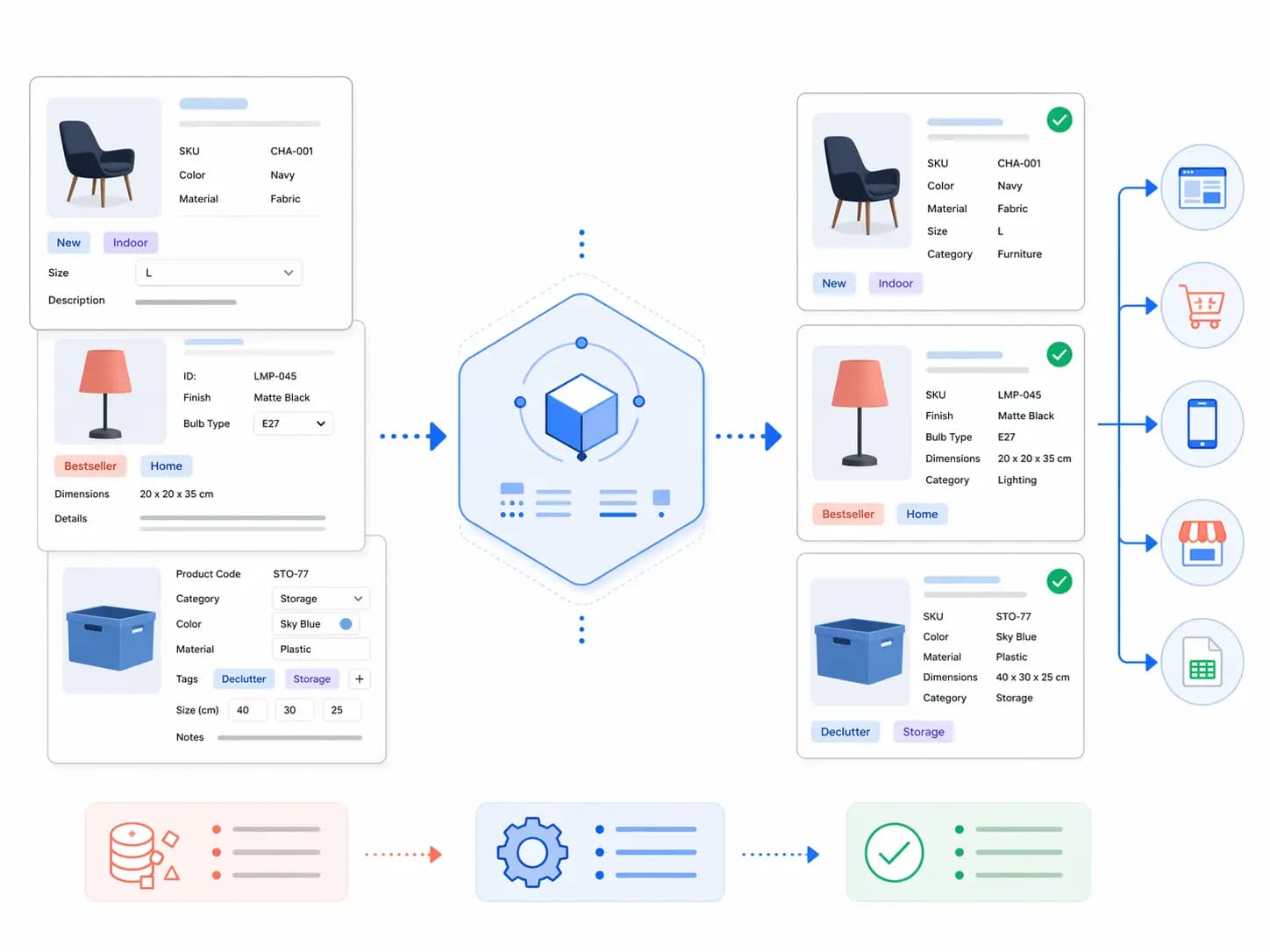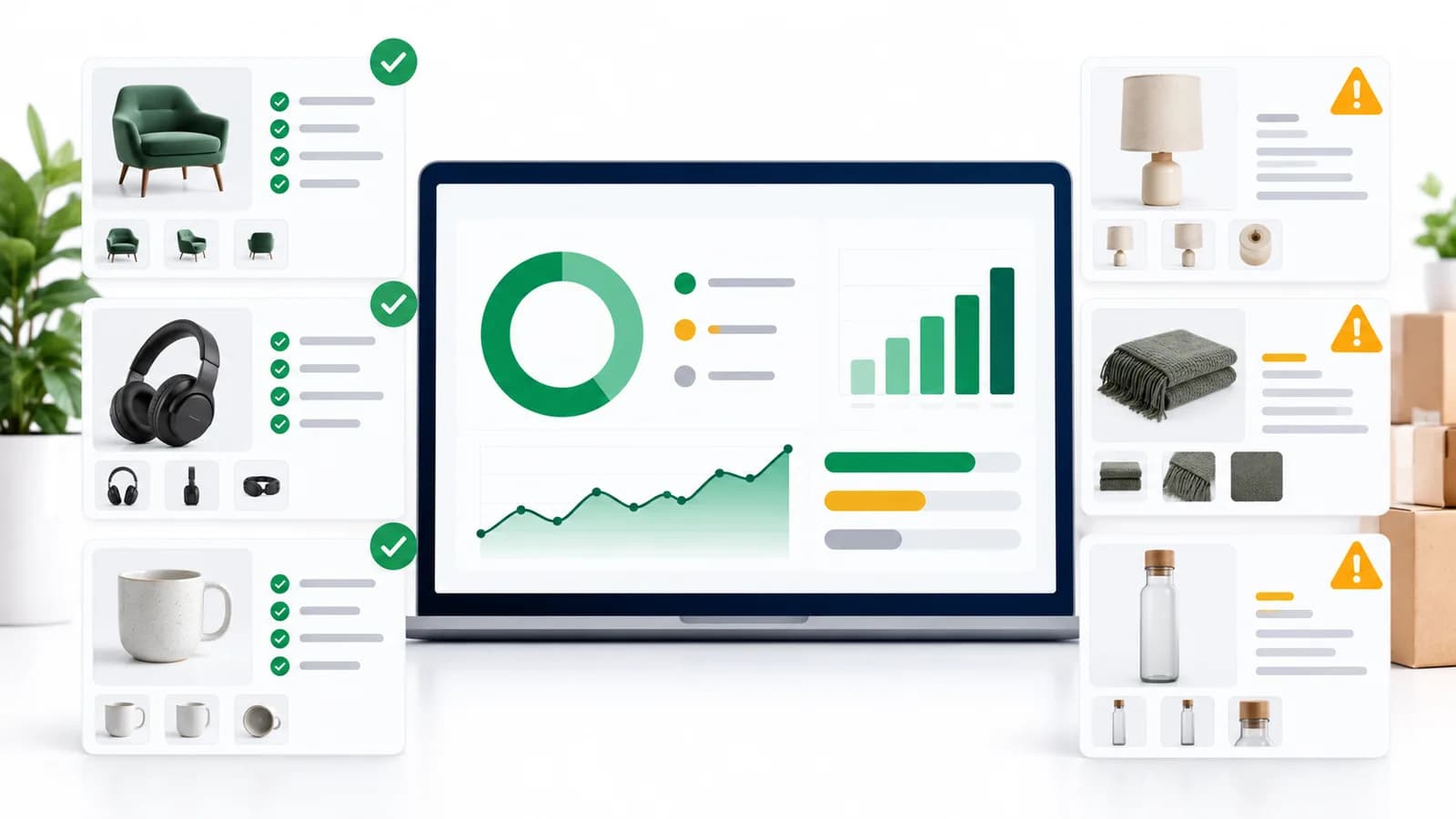
This guide focuses on mapping and channel rules. If you are new to the topic, start with the complete product taxonomy guide , or what is product taxonomy for the definition.
Product taxonomy series
- Product taxonomy: the complete guide : Start here: principles, structure, governance, and when to rebuild.
- What is product taxonomy? : Definition, examples and how it differs from categories and attributes.
- How to build a product taxonomy : The step-by-step build process, from audit to documented rules.
- Category mapping guide (you are here): Mapping your taxonomy to channels such as Google Shopping, Shopify and marketplaces.
- Taxonomy audit checklist : Review an existing taxonomy before it causes lost searches and feed errors.
- Free taxonomy template : 110 categories across five industries with verified Google IDs, free for everyone.
Last reviewed 4 October 2026 against Google Merchant Center Help, Google’s current product taxonomy file, the Shopify taxonomy releases and Baymard’s benchmark.
Most ecommerce teams know their taxonomy is a mess. Products miscategorised at import, filters returning garbage results, Google Shopping feeds rejected for category mismatches — these are symptoms of the same underlying problem. The category mapping layer was never properly designed.
This guide fixes that. It covers what an ecommerce product taxonomy actually is, how to build category mapping rules that hold up at scale, how to map that structure to Google, Shopify and Amazon and keep those mappings current, and how to handle the hardest part — incoming supplier data that arrives in fifteen different formats and calls the same product by six different names.
If you already have a taxonomy and want to understand why your hierarchy keeps drifting, start at the taxonomy structure guide . If you’re starting from scratch or rebuilding your mapping layer specifically, you’re in the right place.
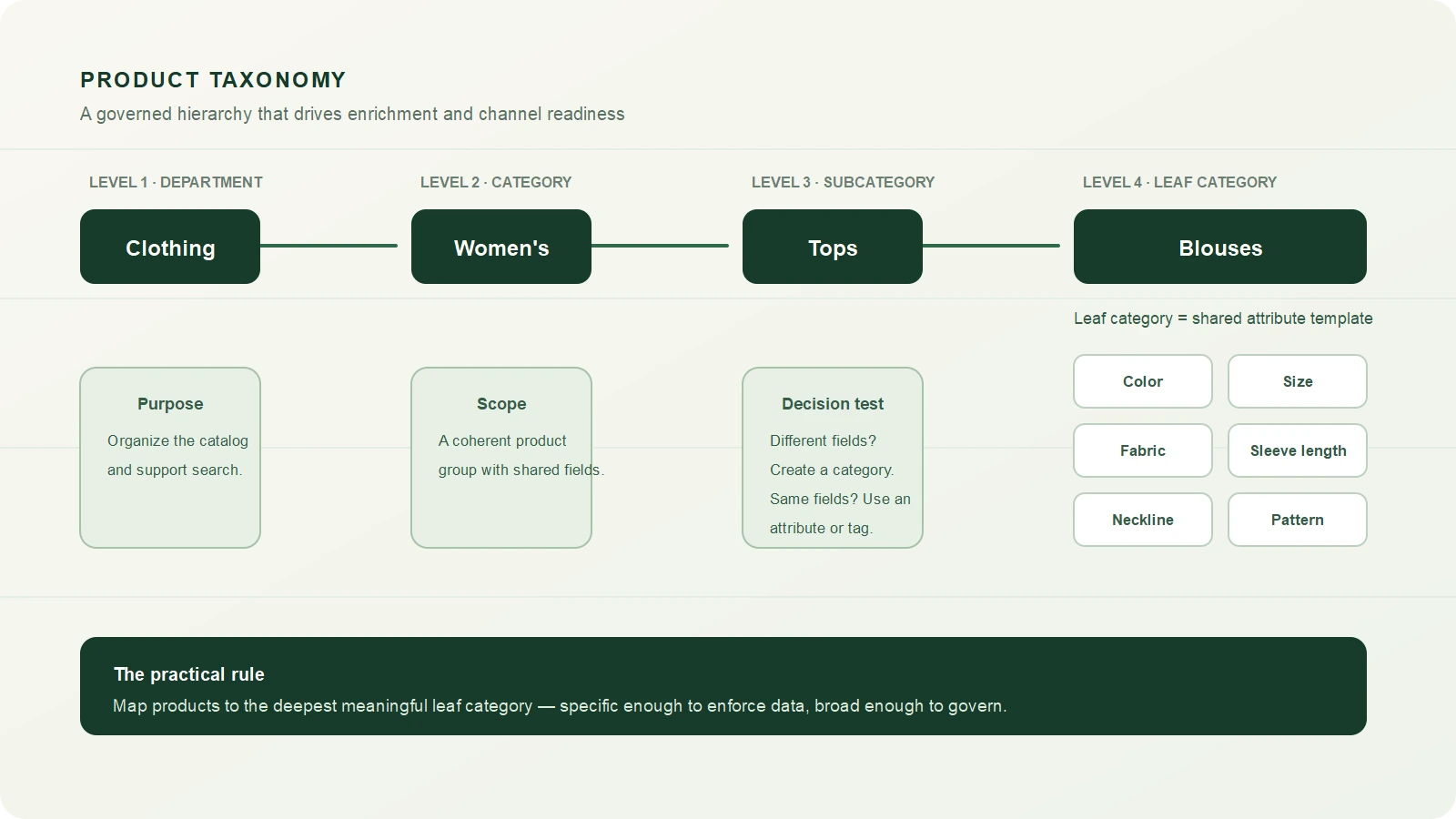
Ecommerce product taxonomy hierarchy from department to leaf category
What is an ecommerce product taxonomy — and what it isn’t
An ecommerce product taxonomy is the hierarchical classification system that defines how every product in your catalog is organised, enriched, and mapped to sales channels. It’s the skeleton that everything else sits on top of.
Here’s what that looks like in practice:
Clothing (Level 1)
  └── Women's Clothing (Level 2)
        └── Tops (Level 3)
              └── Blouses (Level 4 — leaf category)
                    ├── Required: Color, Size, Fabric, Sleeve Length
                    └── Optional: Neckline, Pattern, Occasion
The leaf category — Blouses — is where products actually live. Every leaf category should have a defined attribute template attached to it: the specific fields that apply, the values those fields can take, and which ones are required versus optional. That template is what drives data completeness, and data completeness is what drives channel eligibility.
Here’s the distinction that trips up most teams: a taxonomy is not the same as navigation. Your internal classification taxonomy answers the question “what is this product and how should it be enriched?” Your customer-facing navigation answers “how does a shopper find this product?” These two things are related but should not be the same structure. A product might live in Clothing > Women’s > Tops > Blouses in your taxonomy, while appearing under New In, Work Wardrobe, and Under £50 in navigation. Conflating the two is how taxonomies become impossible to maintain.
Baymard Institute’s homepage and category usability benchmark rates 76% of the 344 top-grossing US and European ecommerce sites it reviewed as “mediocre” or worse. A clear classification structure behind the navigation is a large part of the fix.
Why category mapping specifically is where most taxonomies fall apart
Taxonomy design and category mapping are related but different problems. Taxonomy design is about building the right structure. Category mapping is about consistently and accurately placing products into that structure — especially when those products are coming from external sources that don’t know or care what your structure looks like.
Three scenarios where mapping breaks consistently:
Supplier data arrives with its own category logic
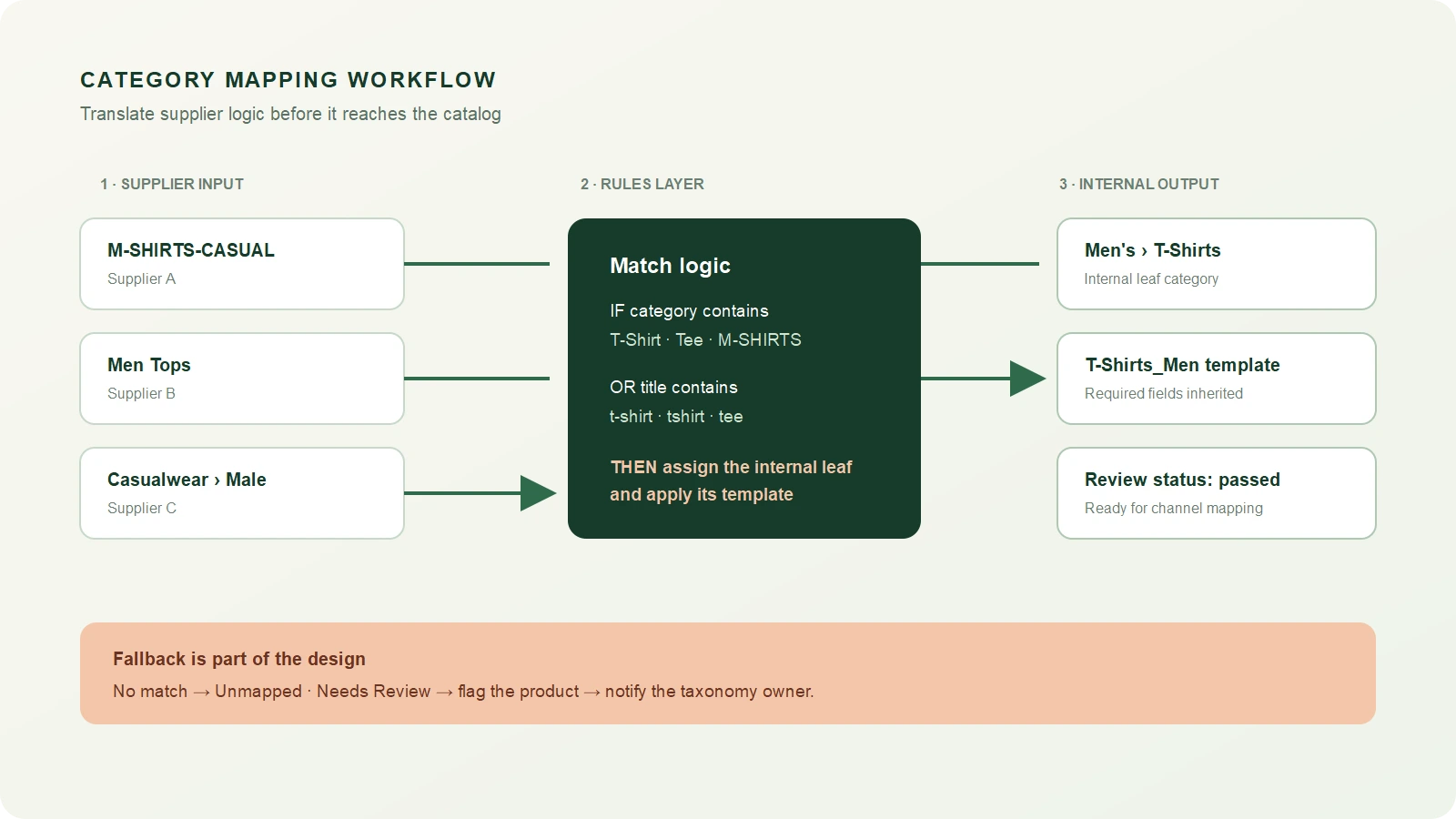
A supplier sends a product feed. Their file calls the category “M-SHIRTS-CASUAL.” Another supplier sends the same type of product under “Men Tops.” A third has it as “Casualwear > Male.” All three should land in your Clothing > Men’s > T-Shirts category. Without mapping rules, someone maps this manually every time. With mapping rules, it’s automated on import.
This is the single biggest source of catalog quality problems in multi-supplier operations. The fix isn’t cleaning up the mess downstream — it’s building mapping rules that prevent the mess from entering the catalog in the first place. The guide on cleaning supplier product data covers the broader data quality side of this.
Products get mapped to the wrong level of specificity
Products mapped too broadly — a pair of trail running shoes classified as just “Footwear” — miss the attribute template that would enforce the right data fields. They arrive in the catalog missing drop height, terrain type, upper material, and pronation guidance. They then get flagged as incomplete. No one knows why because the category assignment looks fine at a glance.
Products mapped too specifically — an “Organic Cotton Relaxed-Fit French-Tuck Blouse” classified into a category that only exists for that one product type — create a taxonomy with hundreds of single-item categories that’s impossible to govern.
The right level is almost always the leaf category that applies a meaningful, shared attribute template to a coherent group of products — specific enough to enforce relevant data, broad enough that multiple products belong in it.
Internal teams use category names inconsistently
Without a style guide and an enforced taxonomy, different team members create their own category interpretations. “Men’s Shoes” and “Mens Shoes” and “Shoe – Men” are three different category IDs in a system and three identical-looking things to a human reviewing a spreadsheet. Over 18 months with a growing team and no governance, this compounds into a catalog where the same product type exists in eight different places under eight slightly different names.
The answer isn’t cleanup campaigns. The answer is building the mapping rules and governance that prevent the problem from recurring. We’ll cover both.
How to build ecommerce category mapping rules that actually hold
Supplier category mapping workflow into an internal ecommerce taxonomy
A category mapping rule is a conditional statement: if an incoming product matches this pattern, it goes into this internal category and inherits this attribute template. Rules can be based on the supplier’s category label, keywords in the product title, specific field values in the data, or a combination.
The logic of a mapping rule looks like this:
IF supplier_category CONTAINS "T-Shirt" OR "Tee" OR "M-SHIRTS"
  OR product_title CONTAINS "t-shirt" OR "tshirt" OR "tee"
THEN internal_category = "Clothing > Men's Clothing > T-Shirts"
AND apply_attribute_template = "T-Shirts_Men"
AND flag_for_review = FALSE
And critically, you need a fallback for everything that doesn’t match:
IF no_rule_matches
THEN internal_category = "Unmapped — Needs Review"
AND flag_for_review = TRUE
AND notify = [taxonomy-owner@yourcompany.com]
The unmapped holding category is non-negotiable. Products that don’t match any rule should never be silently placed into a default category — they end up miscategorised, inherit the wrong attribute template, and produce bad data downstream with no visible error.
Building your mapping rules document
Before you encode rules into any system, document them in a mapping spreadsheet. Columns you need:
| Supplier Category Input | Match Logic | Internal Category Target | Attribute Template | Last Reviewed |
|---|---|---|---|---|
| M-SHIRTS-CASUAL, Men Tops, Casualwear > Male | CONTAINS any of | Clothing > Men’s > T-Shirts | T-Shirts_Men | 2026-01-15 |
| WOMENS-BLOUSE, Women’s Tops > Formal | CONTAINS any of | Clothing > Women’s > Tops > Blouses | Blouses_Women | 2026-01-15 |
| [No match] | Fallback | Unmapped — Needs Review | None | — |
This document becomes your taxonomy’s source of truth for supplier onboarding. Every new supplier gets mapped here first, before their data touches the catalog. The effort at onboarding is twenty minutes of mapping work. The cost of skipping it is months of catalog cleanup.
Rules for building good mapping rules
A few principles that separate mapping rules that hold from ones that drift:
- Never let supplier categories become your internal categories. Suppliers optimise for their own operations, not yours. Their category names reflect how they organise their warehouse, not how your customers browse or how your data model is structured.
- Build rules at the supplier level, not just the category level. Supplier A’s “Tops” and Supplier B’s “Tops” may not mean the same thing. Prefix your rules with supplier ID where the same label appears across multiple sources with different product types behind it.
- Log every manual override. If someone manually reassigns a product that the mapping rules should have caught, that’s a signal the rule is wrong or incomplete. Log it. If the same pattern appears three times, create a new rule.
- Review rules quarterly. Suppliers change their data formats. Seasonal categories come and go. New product types emerge that your original rules didn’t anticipate. A mapping rule set that was accurate in January may have meaningful gaps by April.
Hierarchy design: how deep is too deep, how broad is too broad
The most common taxonomy design question is about hierarchy depth. Teams building their first proper taxonomy usually either go too shallow (everything in five categories with no subcategory structure) or too deep (seven levels of subcategories that collapse under their own maintenance weight).
The practical guideline for most ecommerce catalogs is 3 to 5 levels maximum. Here’s why that number makes sense and what it looks like in practice:
- Level 1 — Department: Clothing, Electronics, Home & Garden, Sports
- Level 2 — Category: Women’s Clothing, Computers, Garden Tools
- Level 3 — Subcategory: Tops, Laptops, Hand Tools
- Level 4 — Leaf category (where products live): Blouses, Gaming Laptops, Pruning Shears
When you feel the urge to go to Level 5 or deeper, the right question to ask is: does this product type genuinely need a different attribute set, or am I just trying to describe a variation? If it’s a variation — color, size, material, fit, terrain type — that’s an attribute. Attributes are cheap and infinitely flexible. Categories are expensive because every category you add needs naming, governance, a mapping rule, and a channel mapping. Use them only when they’re genuinely warranted.
The test that makes this concrete: if you removed this subcategory and merged its products into the parent, would those products need different fields? If yes — the subcategory earns its place. If no — it’s just label-making.
For a deeper guide on hierarchy architecture, attribute design, and governance models, the scalable taxonomy structure guide covers the structural layer in detail.
Mapping your taxonomy to channel requirements in 2026
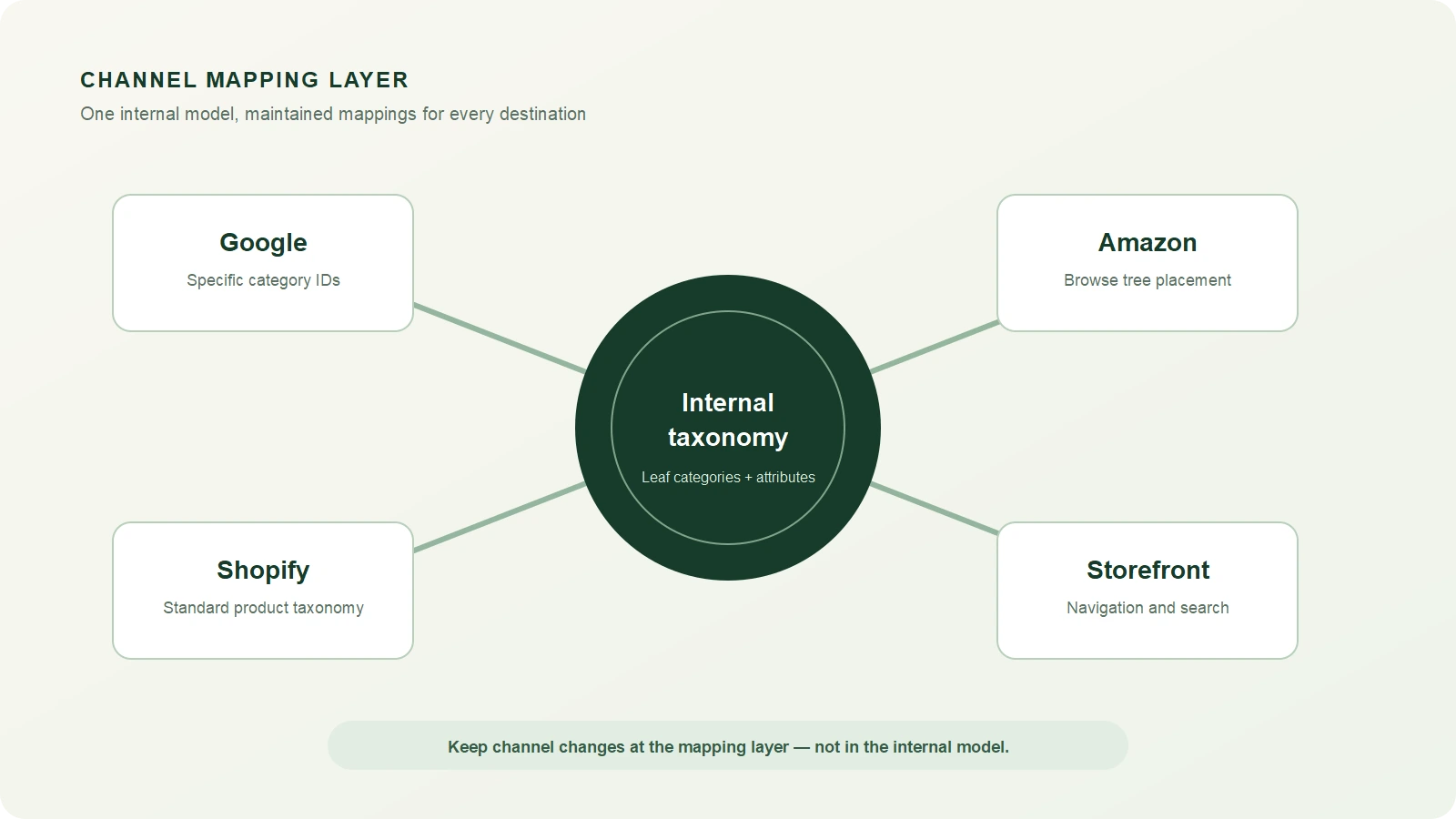
Your internal taxonomy and your channel taxonomies are different things that need to stay in sync. Your internal taxonomy is designed around your data model. Channel taxonomies — Google, Amazon, Shopify — are designed around their own requirements, which change independently of you and don’t care about your internal structure.
The right model is a channel mapping layer: a separate table that maps each of your internal leaf categories to the correct category ID in each channel. One internal category might map to different targets across channels, and that’s expected and fine — as long as the mapping is explicit and maintained.
Internal taxonomy mapped to Google Shopify and Amazon channel categories
Google Product Taxonomy: map to the official file
Google publishes its product taxonomy as a downloadable file that pairs every category path with a numeric ID. It has 21 top-level categories and roughly 5,600 categories in total, and Merchant Center accepts either the full path or the ID in the google_product_category attribute. Google lists incorrect product categories among its
product data quality violations
, so the file is the single reference for your mapping table.
Work from the official taxonomy file with IDs and read Google’s google_product_category documentation for the rules. The file carries a version stamp on its first line. At the time of writing (September 2026) the English (US) file is still version 2021-09-21, so be sceptical of third-party lists that describe “new” or “deprecated” Google categories. Third-party copies are the usual reason a feed contains a category Google does not recognise.
Key principle for Google taxonomy mapping: always map to the most specific applicable category, not the nearest parent. A cordless drill mapped to Hardware > Tools gives Google far less to work with than one mapped to Hardware > Tools > Drills > Handheld Power Drills. Specific categories match shoppers’ searches and unlock the category-specific attribute requirements Merchant Center applies.
Shopify Standard Product Taxonomy (release 2026-08)
Shopify’s standard taxonomy is newer and actively evolving. It ships as versioned releases (2026-02, 2026-05 and 2026-08 so far this year; the latest is 2026-08), which you can browse in the Shopify Taxonomy Explorer . It uses machine learning to suggest categories based on product titles and descriptions, which reduces manual mapping work for simple catalogs. However, the suggestions are not always accurate and should always be verified, particularly for products with ambiguous titles or dual-use cases.
Shopify’s taxonomy is increasingly being adopted as a reference standard beyond the Shopify ecosystem, particularly among mid-market brands building channel-agnostic product data models. It’s worth mapping to even if it’s not your primary channel.
Amazon Browse Tree Guide
Amazon organises its catalog into thousands of browse-tree categories, which differ by marketplace, and splits them between open listing categories (anyone can list) and gated categories requiring prior approval. Your internal categories will rarely map 1:1 to Amazon’s Browse Tree — the structures are built with different goals in mind.
The most common Amazon mapping mistake is categorising at too high a level because it’s easier. “Electronics” is valid but useless. “Electronics > Camera & Photo > Digital Cameras > Mirrorless Cameras” is what Amazon’s algorithm expects and what drives relevant placement. Deep, specific mapping consistently outperforms broad mapping in Amazon search visibility.
GS1 as a classification baseline
If you sell B2B, wholesale, or through retail trading partners who require standardised product data exchange, the GS1 Global Product Classification (GPC) standard is worth understanding. GS1 provides a universal language for product classification used by major retailers and distributors globally. It won’t replace your internal taxonomy, but knowing how your categories map to GS1 bricks and segments makes retailer onboarding significantly faster.