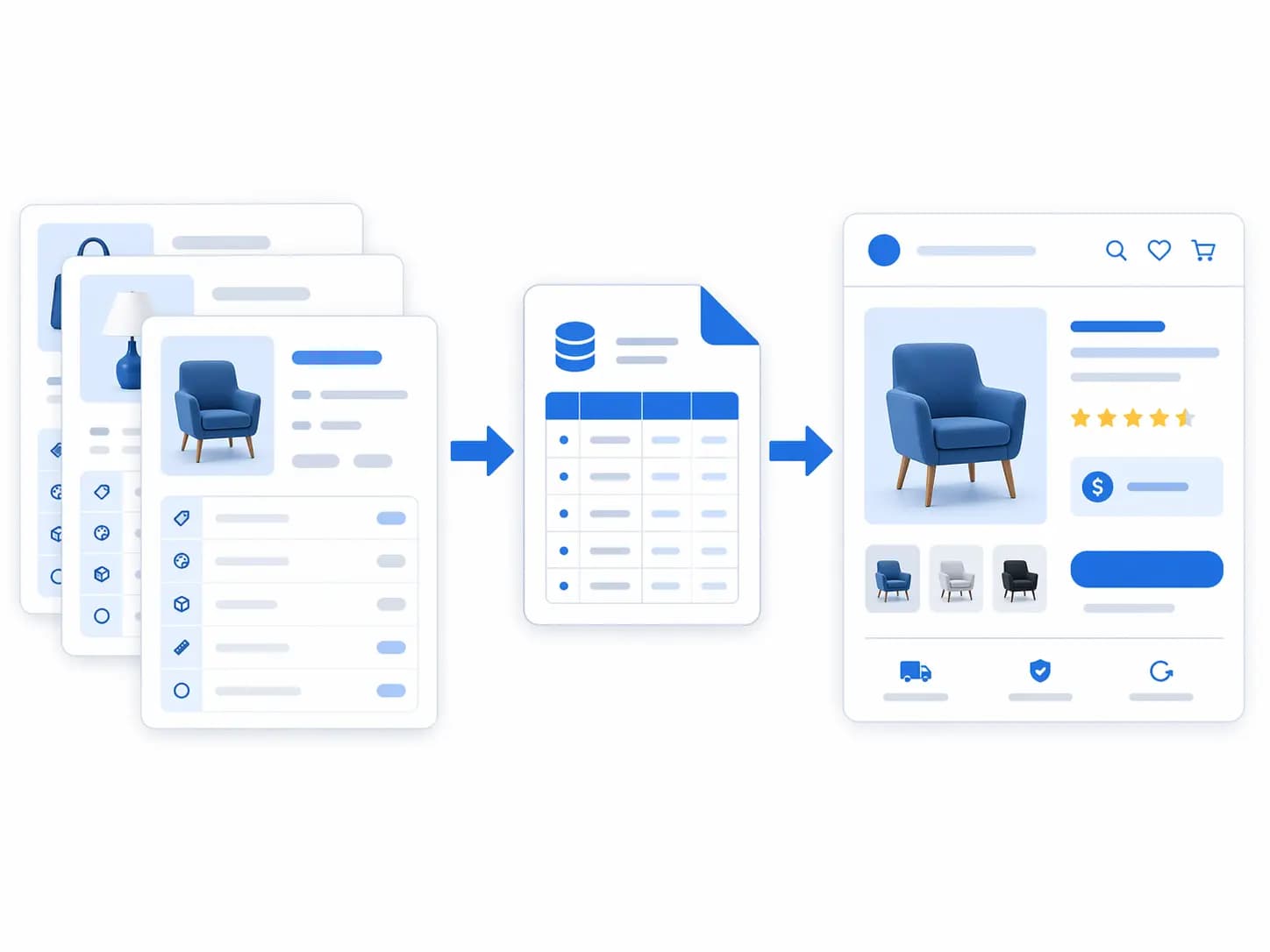
- WooCommerce is a good place to sell products. It is a weak place to govern them once you have many suppliers, channels, languages or editors.
- A PIM sits upstream of WooCommerce. You edit product data once in the PIM, and it publishes clean, validated records into the store.
- You keep full ownership of your data. WooCommerce stays the storefront and order system; the PIM becomes the source of truth for product content.
- The safest rollout is a pilot: one category, SKU as the matching key, outbound sync first, then widen the scope.
- You probably do not need a PIM for a small, single-channel catalog that one person maintains. The guide below shows the signs that change that.
WooCommerce makes it easy to start selling online. Add a product, set a price, publish. The trouble starts later, when the catalog grows, suppliers send different file formats, a marketplace needs different fields, and three people edit the same products. At that point many store owners search for a PIM for WooCommerce: a system that takes over product data management while WooCommerce keeps doing what it is good at.
This guide explains when that move makes sense, what changes in your workflow, how product data maps between a PIM and WooCommerce, and how to connect the two without risking your live store.
What WooCommerce does well, and where it stops
WooCommerce stores products as a content type inside WordPress. It provides the pieces most small catalogs need: simple and variable products, categories and tags, product attributes, images and galleries, a built-in CSV importer and exporter, and a REST API for integrations.
That is enough while the catalog is small and one person controls it. The limits appear in four places:
- Governance. Anyone with edit access can change any field. There is no built-in approval step, completeness rule per category, or audit trail for who changed what.
- Attribute control. Attributes can be defined per product, which makes it easy for “Colour”, “Color” and “Colour/Shade” to coexist. Global attributes help, but they do not stop inconsistent values.
- Multi-channel output. Your storefront is only one channel. Google Shopping, marketplaces and partner feeds need their own categories, titles and required fields.
- Supplier intake. Importing messy supplier files straight into a live store means problems reach customers before anyone has reviewed them.
Signs your WooCommerce store needs a PIM
You do not need a PIM because you have a certain number of products. You need one when the work around the data becomes the bottleneck. Common signs:
| Sign | What it looks like in practice |
|---|---|
| Spreadsheets multiply | Several versions of the “master” file, with edits made in WooCommerce and not copied back |
| Many suppliers | Each sends data in a different format, units and naming, and every import needs manual cleanup |
| More than one channel | You sell on WooCommerce plus marketplaces, feeds or a B2B portal and maintain each separately |
| Several editors | Changes overwrite each other; nobody can say which value is correct |
| Languages or markets | Translations live in different plugins or files and drift out of sync |
| Feed or listing rejections | Missing identifiers, wrong categories or incomplete attributes keep getting products refused |
| Slow launches | New products take days because data must be prepared, copied and checked by hand |
If two or three of these sound familiar, read 12 signals you’ve outgrown spreadsheets and run the PIM Readiness Score . If none do, a clean process and a good import template may be all you need for now. The PIM vs spreadsheets comparison covers that decision in more detail.
What a PIM adds to a WooCommerce store
| Need | WooCommerce alone | With a PIM upstream |
|---|---|---|
| One source of truth | The store database is the master by default | The PIM holds the governed product record; the store receives it |
| Consistent attributes | Possible with discipline and global attributes | Controlled values, units and attribute sets per category |
| Validation before publish | Manual checks | Required-field rules by category and channel; incomplete products are blocked |
| Approvals and history | Basic post revisions | Review workflow and an audit trail of changes |
| Supplier data intake | CSV import into the live catalog | Mapping and normalization in the PIM, reviewed before anything reaches the store |
| Multiple channels | Separate exports and plugins per channel | One record, channel-specific mappings and outputs |
| Bulk changes | Bulk edit and re-import | Bulk operations with validation and a controlled rollout |
The point is not that WooCommerce cannot do any of this. It is that a PIM does it before the data reaches the store, in one place, with rules and owners. For the broader process behind this, see the product catalog management guide .
How the two systems fit together
The usual pattern is simple: the PIM is upstream, WooCommerce is downstream.
- Intake. Supplier files, ERP exports and internal edits arrive in the PIM.
- Govern. Data is normalized, enriched, validated and approved there.
- Publish. Approved records sync to WooCommerce, either on demand or on a schedule.
- Sell. WooCommerce takes orders and handles customers, checkout and payments, as it does today.
In the LynkPIM WooCommerce integration, the primary direction is outbound, from LynkPIM to WooCommerce. During migration there is an optional inbound step to reconcile what already exists in the store. See the WooCommerce integration page for what syncs and how mappings and scheduling work.
What should live where
| Data | Master system | Why |
|---|---|---|
| Titles, descriptions, attributes, categories, images | PIM | Content and structure are governed upstream |
| Orders, customers, payments, shipping choices | WooCommerce | Transaction data belongs to the store |
| Stock and price | Depends on your setup | Often the ERP or inventory system; decide this early and write it down |
Data ownership: who owns your product data?
A common worry is lock-in: “If I put my catalog in a PIM, do I lose control?” In a well-run setup the opposite is true. Your product data stays yours, in a structured form you can export, and WooCommerce continues to hold its own copy in your database. Before choosing any PIM, confirm that you can export products, attributes, taxonomy and media in a usable format, and that the contract allows it. The PIM RFP question list includes the exit questions to ask.
Mapping product data between a PIM and WooCommerce
Most integration problems are mapping problems. Agree on the mapping before the first sync.
| PIM concept | WooCommerce equivalent | Decision to make |
|---|---|---|
| Product (parent) | Simple or variable product | Which PIM products become simple, which become variable |
| Variant | Product variation | Which attributes drive variations (for example size and colour) |
| Category / taxonomy node | Product category | One primary category per product; how deeper levels map |
| Attribute | Product attribute (global or custom) | Use global attributes where customers filter; keep names and values identical |
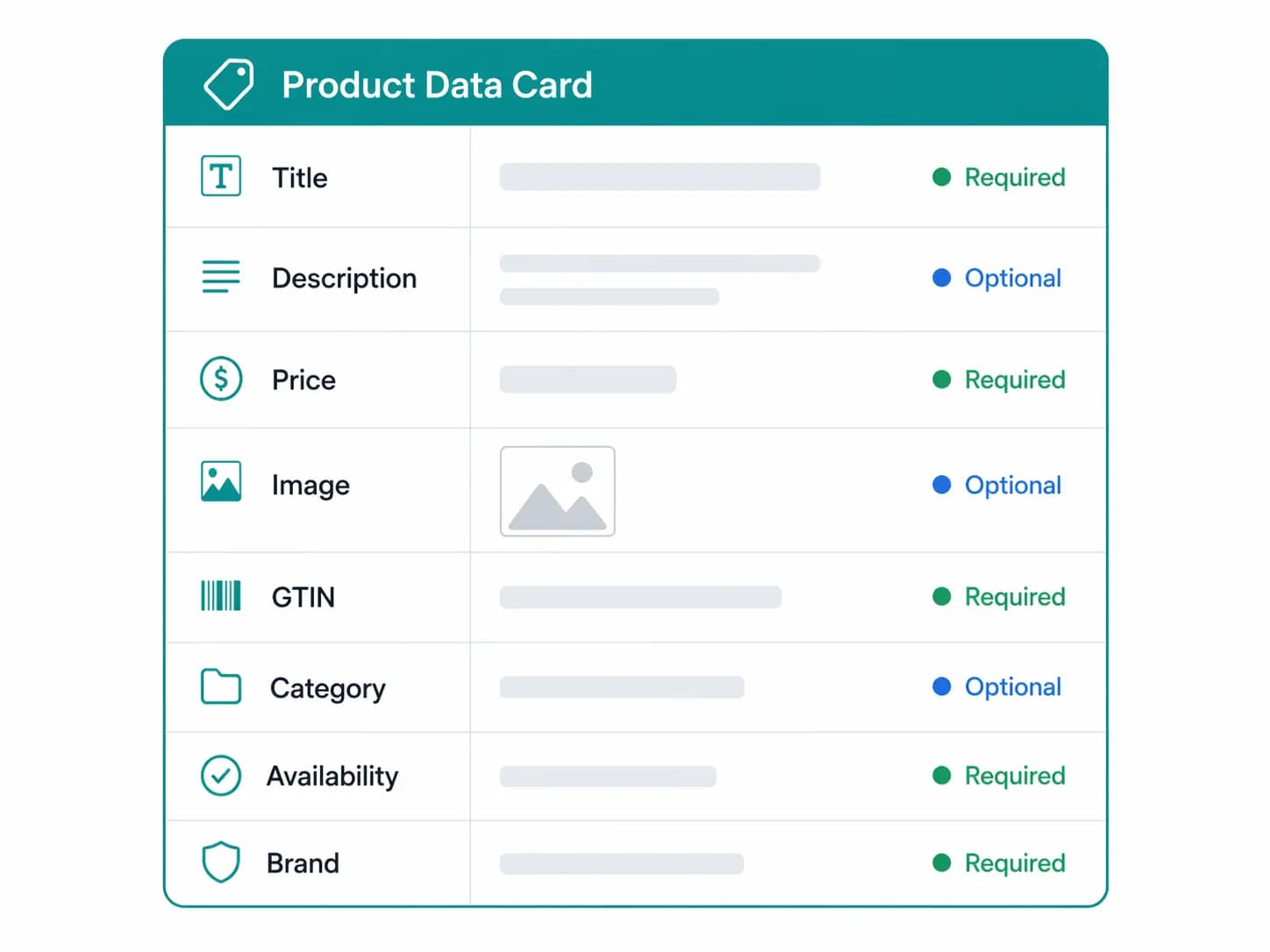
| Identifier (SKU, GTIN) | SKU and identifier fields | SKU is usually the matching key; keep it unique and stable |
| Images and media | Featured image and gallery | Image order, naming and which image is the main one |
| Status | Publish status | Which products publish automatically and which wait for a manual release |
Keep SKU as the matching key
Choose one identifier that links a PIM record to a WooCommerce product, and never reuse it. SKU is the usual choice. If two products share a SKU, or a SKU changes after sync, you create duplicates or overwrite the wrong product. Run a duplicate check on your current catalog before you connect anything, using the Duplicate Detector and the guide to duplicate SKUs .
Plan variable products carefully
Variable products are where mappings usually fail. Define which options create variations, make sure every variation has its own SKU and image where needed, and validate a sample before you schedule publication. The product data modeling hub explains what belongs on the parent and what belongs on the variant.
A safe rollout plan, step by step
- Back up the store. Take a database backup and export your current products before changing anything.
- Audit the current catalog. Check for missing SKUs, duplicates, inconsistent attributes and uncategorized products. The Catalog Health Score gives a quick baseline.
- Define the model. Agree categories, attribute sets, controlled values, and the parent and variant rules. The product taxonomy guide helps with the structure.
- Load and reconcile. Bring existing WooCommerce products into the PIM, matching on SKU, and resolve conflicts there rather than in the live store.
- Pilot one category. Choose a category with a manageable number of products, including at least one variable product. Use dedicated API credentials for the integration.
- Publish manually first. Review the result in the store: attributes, variations, images, categories and URLs.
- Add scheduling. Once the pilot is clean, schedule refreshes by product set or by updated records, and watch the sync log for exceptions.
- Widen the scope. Add categories in waves. Fix data issues in the PIM and re-run, instead of patching products in WooCommerce.
- Lock down direct edits. Once the PIM is the master, agree that product content is no longer edited in WooCommerce, or edits will be overwritten on the next sync.
Common pitfalls
- Syncing before cleaning. A PIM does not fix bad data by itself; it just distributes it faster. Clean the model first.
- Two masters. If staff keep editing in both systems, values flip back and forth. Decide who owns each field and enforce it.
- Changing SKUs mid-project. This breaks matching. Freeze SKUs during the pilot.
- Ignoring URLs. If category or product slugs change during import, redirects are needed to protect rankings.
- Skipping the pilot. Launching the whole catalog at once makes errors hard to trace.
- No owner. Someone must own mapping rules and exceptions after launch. See product data governance .
Beyond the storefront: other channels
The same governed record can feed more than WooCommerce. If you also run Google Shopping or marketplaces, keep one internal taxonomy and map it to each destination instead of editing products per channel. The guides to Google Shopping feeds , Amazon feeds and managing product data across several channels show how that works in practice.
Frequently asked questions
Do I need a PIM for WooCommerce?
Not always. A small catalog with one channel and one editor can run well on WooCommerce with a clean import template. A PIM becomes worthwhile when you have many suppliers, several channels or languages, multiple editors, or repeated listing rejections.
Does a PIM replace WooCommerce?
No. WooCommerce remains your storefront, checkout and order system. The PIM manages product information upstream and publishes it into the store.
Can a PIM handle WooCommerce variable products?
Yes, if the variable products and their attribute structures are mapped and validated before scheduled publication. Test with a sample that includes missing values and different image counts per variation.
Who owns my product data if I use a PIM?
You do. Confirm that you can export products, attributes, taxonomy and media, and that the agreement says so, before you commit.
Will syncing overwrite my existing WooCommerce products?
It can, which is why you should reconcile existing products first, match on SKU, and pilot a single category before widening the scope. Back up the store before the first publish.
How long does a WooCommerce and PIM rollout take?
It depends mostly on data quality and the number of product families, not on the connection itself. A clean pilot category can be live quickly; cleaning the rest of the catalog usually takes longest. The PIM implementation guide gives a phased timeline.
What does it cost?
Compare the subscription together with implementation, data cleanup and ongoing administration over several years. The guide to PIM pricing and total cost includes a worksheet.
Next steps
- Run the Catalog Health Score on a product export to see where your data stands.
- Check whether your process is ready with the PIM Readiness Score .
- Review the LynkPIM WooCommerce integration to see what syncs and how rollout is scoped.
- When you are ready to plan a pilot, talk to the team or review pricing .
Last updated: October 2026