Google Shopping Feed for Apparel: All Requirements Explained (2026)
Apparel is the most attribute-heavy category in Google Shopping. Miss a required field and your products either disapprove or lose out in auctions to competitors whose feeds are complete. This guide covers every attribute Google requires or strongly recommends for clothing, footwear, and accessories — with the exact values and format Google expects.
Why Apparel Feeds Are Different
Google’s feed requirements for apparel go beyond the standard required attributes that apply to all products. Clothing and shoes have mandatory variant attributes, specific size system declarations, and stricter image requirements. A feed that works fine for non-apparel will generate warnings and limited performance for clothing.
For a full foundation on how Shopping feeds work, the Google Shopping Feed Guide covers the base layer before you add apparel-specific requirements on top.
Required Attributes for All Apparel Products
| Attribute | Required? | Notes |
|---|---|---|
| id | Yes | Unique per variant, not per style |
| title | Yes | Include colour, size, material in title |
| description | Yes | 150+ characters recommended |
| link | Yes | Must land on the specific variant page |
| image_link | Yes | 800×800px minimum, no overlays |
| price | Yes | Must match landing page exactly |
| availability | Yes | in stock / out of stock / preorder |
| google_product_category | Yes | Use specific leaf node, not parent category |
| brand | Yes | Required for all apparel |
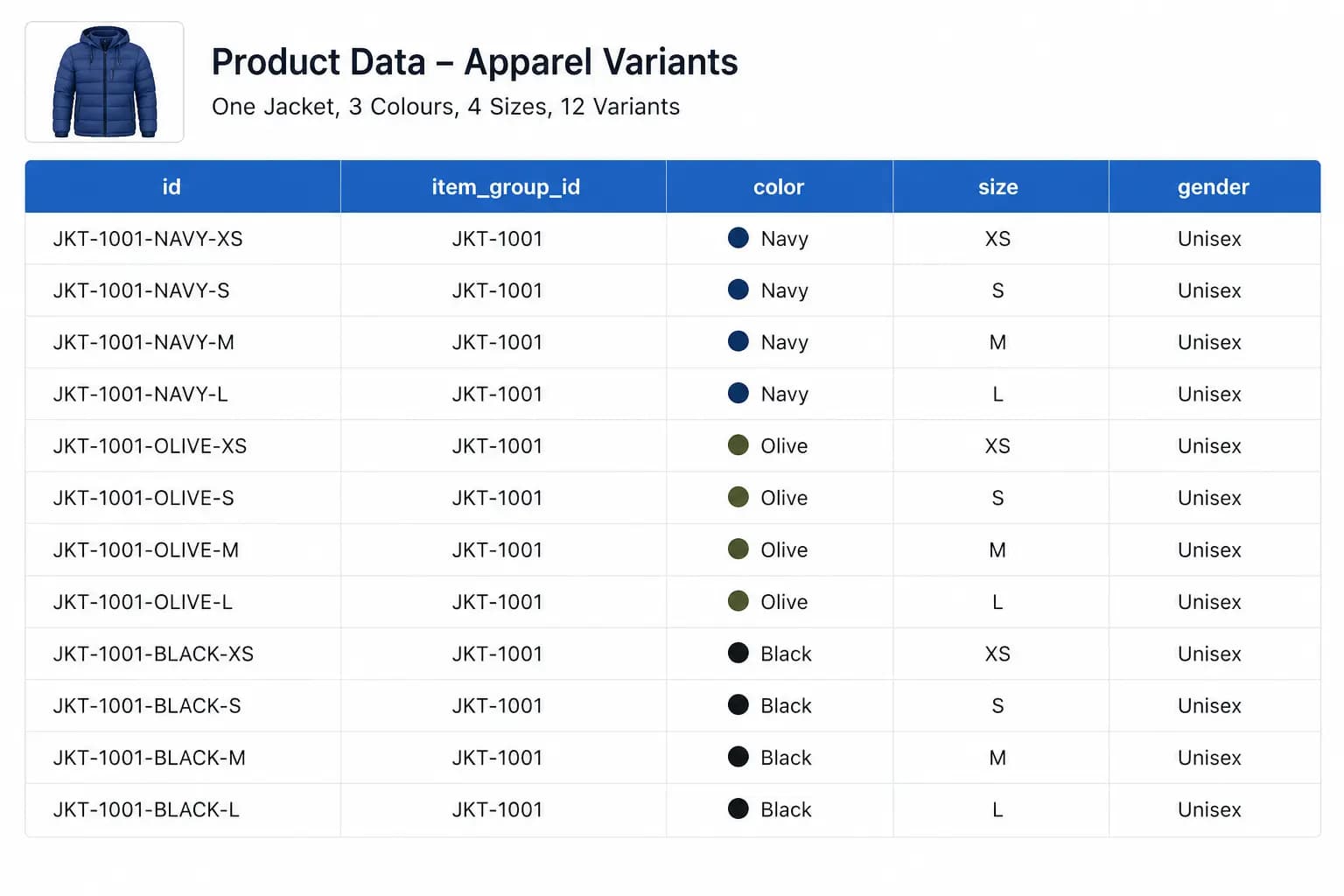
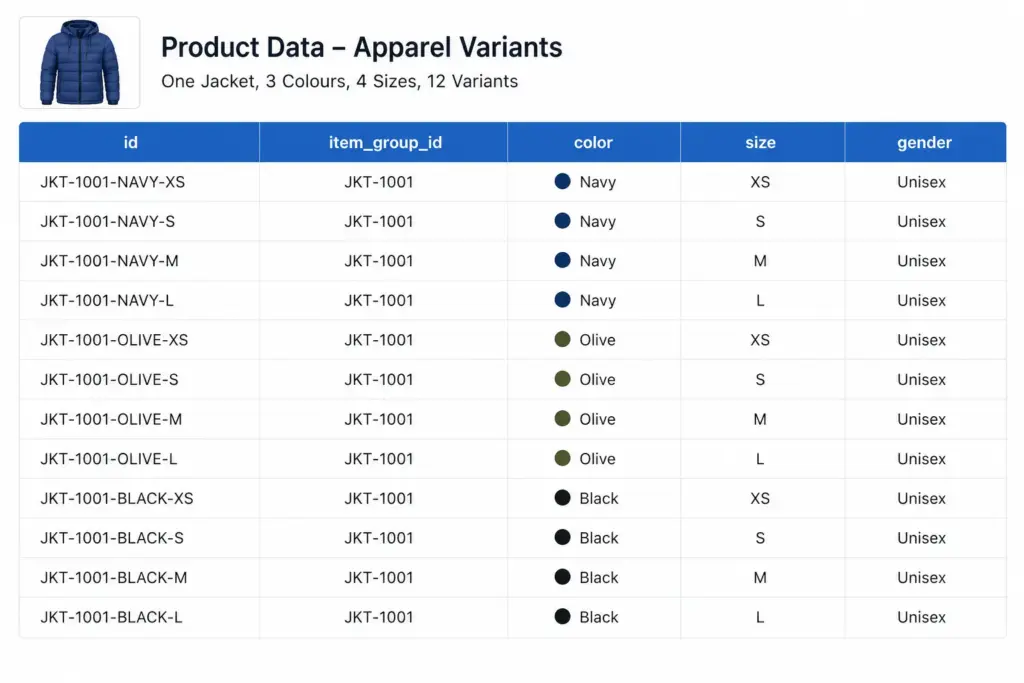
| item_group_id | Required for variants | Same value for all variants of one style |
| color | Required for variants | Up to 3 values separated by / |
| size | Required for variants | One value per product |
| age_group | Required for variants | adult / kids / newborn / infant / toddler |
| gender | Required for variants | male / female / unisex |
item_group_id — The Most Important Apparel Attribute
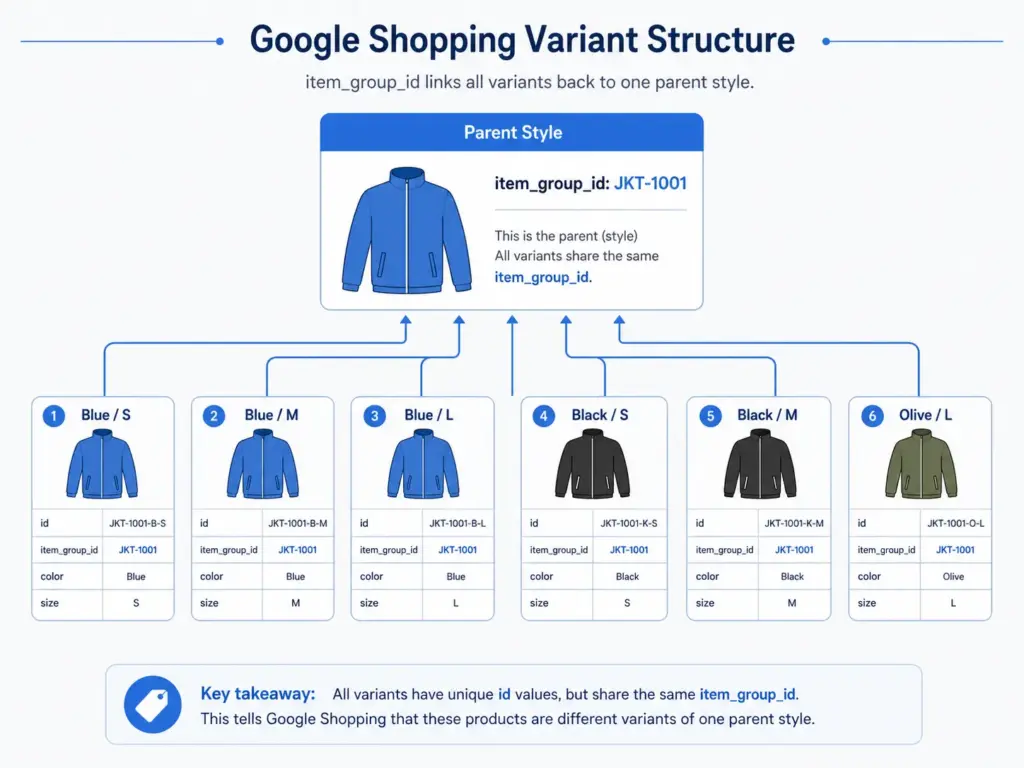
If you only fix one thing in your apparel feed, fix item_group_id. This attribute tells Google which products are variants of the same style. Without it, Google treats a navy size S jacket and a navy size L jacket as two completely unrelated products — and cannot display them as one listing with size options.
The rule: every size, colour, and material variant of the same product must share the same item_group_id value. The parent SKU is the natural choice — if your base product code is JK-2401, all variants carry JK-2401 in item_group_id regardless of their individual IDs.
For GTIN compliance per variant, see the GTIN requirements guide — each variant needs its own valid GTIN in apparel.
Colour Requirements
Colour values must be descriptive and human-readable. Google rejects values that are not recognisable colour names.
- Acceptable: Navy, Coral, Charcoal, Slate Blue, Off White
- Not acceptable: #003366, Color-4, 01, N/A
- Multi-colour: Separate up to 3 values with a forward slash — Navy/White/Red
- Maximum length: 100 characters per colour value
Size Requirements and Size Systems
Size values should reflect the labelled size on the product, not a numeric internal code. Use the size_system and size_type attributes to add context to your size values.
size_system
Declares which regional size standard you are using. Accepted values include: AU, BR, CN, DE, EU, FR, IT, JP, MEX, UK, US. This matters for international catalogs — a “10” in US women’s shoes is not the same as a “10” in UK shoes.
size_type
Describes the cut: regular, petite, plus, tall, big, maternity. Use this when your sizing differs from standard. It helps Google match your products to queries like “plus size summer dress”.
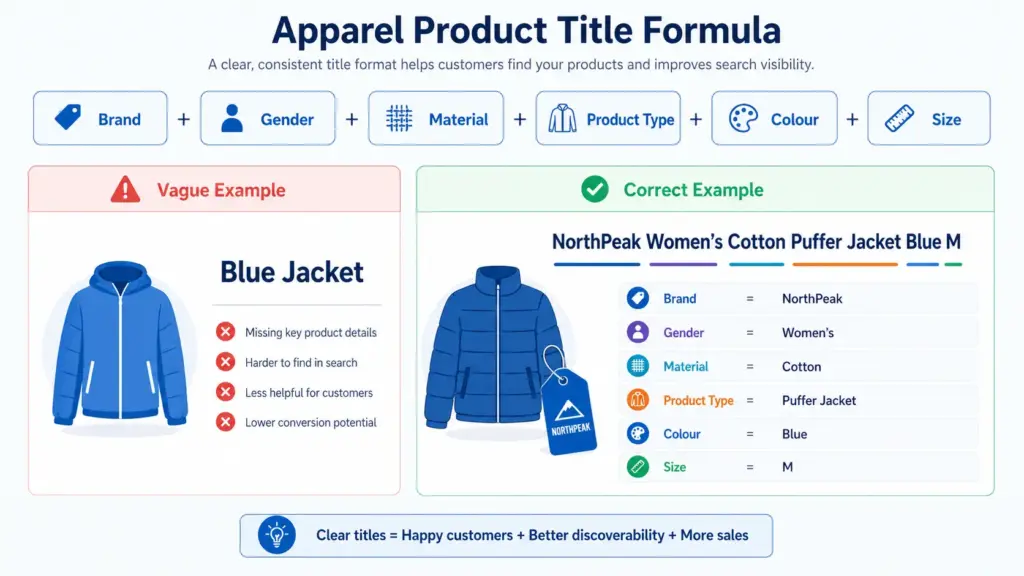
Image Requirements for Apparel
Apparel has stricter image rules than other categories because product appearance drives click decisions more directly.
- Minimum 800×800px — 1000×1000px or larger recommended for Shopping ads
- White or neutral background strongly preferred
- No watermarks, promotional text, or overlays of any kind
- The image must show the specific colour variant — do not use one image for all colour variants
- Use
additional_image_link(up to 10 images) — alternate angles, flat lay, and detail shots all improve CTR
Google Product Category for Apparel — Go Deep
Broad category values are one of the most common apparel feed mistakes. “Apparel & Accessories” as a category value is almost useless for relevance. Google’s taxonomy goes 5–7 levels deep for clothing and footwear — use the deepest applicable level.
| Product | Lazy (Wrong) | Correct |
|---|---|---|
| Women’s running jacket | Apparel & Accessories | Apparel & Accessories > Clothing > Activewear > Track Jackets & Hoodies |
| Men’s leather Oxford shoes | Apparel & Accessories > Shoes | Apparel & Accessories > Shoes > Men’s Shoes > Oxfords |
| Girls’ school uniform skirt | Apparel & Accessories > Clothing | Apparel & Accessories > Clothing > Skirts |
Title Formula for Apparel Products
Google matches your title against search queries. For apparel, the title is the single highest-impact attribute for relevance. Use this formula:
Brand + Gender + Material/Attribute + Product Type + Colour + Size
Example: Columbia Women’s Waterproof Softshell Jacket Navy Size 12
For seasonal products, add the season before the product type: Columbia Women’s Summer Lightweight Running Jacket Coral Size 10
Before You Submit — Validate Your Feed
Apparel feeds have the highest disapproval rates of any Shopping category because of the variant attribute requirements. Before submitting, check:
- Every variant has a valid GTIN — use the GTIN Validator to check in bulk
- All variants of the same style share the same
item_group_id - Colour values are human-readable, not codes or hex values
- Size values are declared with
size_systemif selling internationally - Images are per-colour-variant, not one image reused for all variants
Managing apparel variant data at scale — especially across multiple channels — is where spreadsheet-based approaches break down. Learn how LynkPIM handles variant management without the manual overhead. For campaign performance after your feed is clean, see how to use custom labels for bid segmentation .
Frequently Asked Questions
Is GTIN required for all apparel products?
Yes, for products that have manufacturer-assigned GTINs. Custom or handmade products with no GTIN should set identifier_exists to FALSE in the feed — do not leave GTIN blank without this declaration or you will receive a Limited Performance warning.
Do I need separate products for each size and colour?
Yes. Each unique size/colour/material combination is a separate product in your feed with its own ID. They are linked back to the parent style via item_group_id.
Can I use the same image for different colour variants?
Technically Google will not always disapprove this, but it will hurt your CTR significantly and may trigger a mismatched colour warning. Use colour-specific images wherever possible.

By Binu Mathew
CEO @ itmarkerz technologiesBinu Mathew is the CEO of itmarkerz technologies and founder of LynkPIM — a modern product information management platform built for growing e-commerce brands. He has spent years working at the intersection of product data, digital commerce, and catalog operations, helping teams eliminate data silos, enforce quality standards, and publish accurate product content at scale. His work spans PIM strategy, marketplace syndication, and Digital Product Passport compliance.
Use These PIM Tools Next
- Use the PIM Readiness Assessment to Benchmark Your Team
- Check Catalog Health Score Before Expanding Channels
- Audit Required Product Fields with the Completeness Checker
- Validate GTIN, UPC, and EAN Codes Before Publishing
- Assess Team Capability Gaps Before Process Changes
- Evaluate Data Governance Maturity for Scaled Catalog Operations
Build Your Product Data Roadmap
Move from theory to execution with free tools and a practical PIM implementation path.